Introduction to MCU Pin Functions: The Gateway to Embedded System Design
Introduction
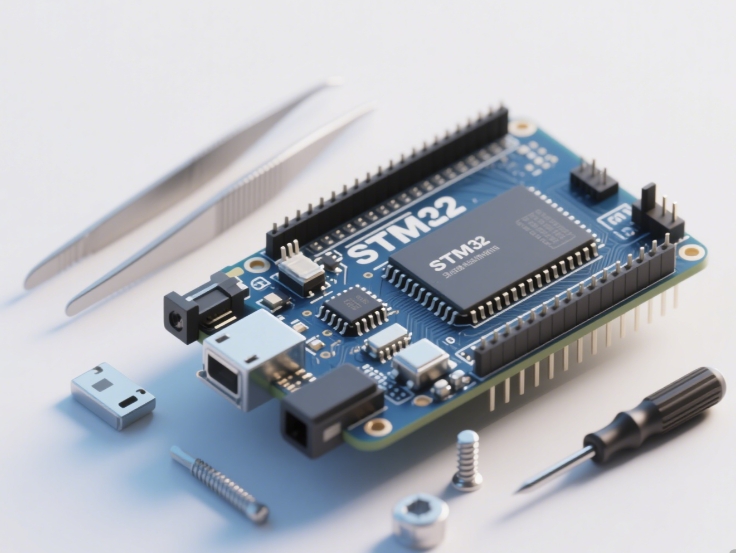
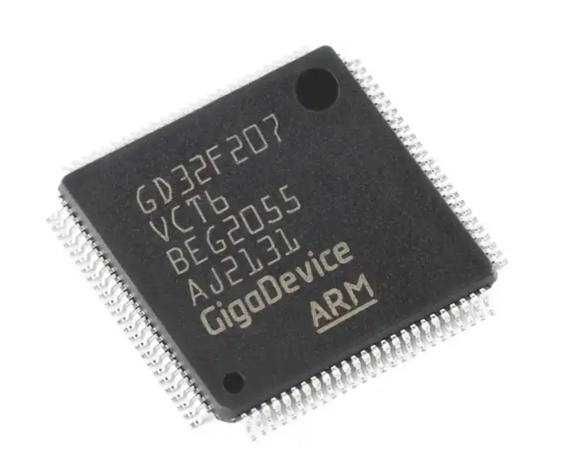
In the realm of embedded systems and electronics, the Microcontroller Unit (MCU) stands as the pivotal brain, orchestrating the functionality of countless devices, from simple home appliances to complex industrial machinery. At the heart of an MCU’s interaction with the external world lie its pins—the physical interfaces that bridge the digital intelligence within the silicon chip and the analog reality of sensors, actuators, and communication lines. A profound understanding of MCU pin functions is not merely a technical detail; it is the foundational knowledge required for effective hardware design, system integration, and firmware development. This article serves as a comprehensive guide to demystifying these versatile pins, exploring their primary functions, configuration nuances, and best practices for utilization. For engineers and hobbyists seeking reliable components and deeper insights, platforms like ICGOODFIND offer invaluable resources for sourcing MCUs and accessing technical documentation to streamline the development process.
Main Body
Part 1: Fundamental Types and Classifications of MCU Pins
MCU pins are typically multifunctional, but they can be broadly classified into several key categories based on their primary design purpose. Understanding this classification is the first step toward effective pin management and system design.
General-Purpose Input/Output (GPIO) Pins are the most flexible and commonly used pins on any microcontroller. As the name suggests, they can be configured programmatically to serve as either a digital input or a digital output. When set as an output, a GPIO pin can drive a signal high (usually at the MCU’s supply voltage, e.g., 3.3V or 5V) or low (0V) to control components like LEDs, transistors, or relays. As an input, it can read the digital state (high or low) from a button, switch, or another digital device. The simplicity of GPIO belies its importance; it forms the basis for most basic control and sensing operations in an embedded system.
Power Supply Pins are non-negotiable for MCU operation. These include VDD/VCC (positive supply voltage), GND (ground), and often multiple pairs for noise isolation. Some advanced MCUs feature separate analog and digital power supply pins (AVDD/AVCC and DVDD/DVCC) to prevent digital switching noise from corrupting sensitive analog circuitry. Proper power supply design and decoupling, using capacitors placed close to these pins, are absolutely critical for stable MCU operation and cannot be overlooked.
Clock Pins are responsible for providing the heartbeat of the microcontroller. Most MCUs have pins for connecting an external crystal oscillator (XTAL1, XTAL2), which generates the precise clock signal that drives the CPU and peripherals. Some may also include a pin for an external clock input or support internal RC oscillators that don’t require external components. The choice of clock source and its stability directly impacts the MCU’s performance, timing accuracy, and power consumption.
Reset Pin is typically an active-low input (labeled RST, nRST, or /RESET). When this pin is pulled to a logic low level, it forces the MCU to terminate all activities and reinitialize itself, starting program execution from the very beginning. A reliable reset circuit is essential for ensuring the system can recover from power glitches or software lock-ups.
Part 2: Special-Function Pins and Peripheral Interfaces
Beyond the fundamental pins, MCUs integrate a wealth of dedicated hardware peripherals, each accessed through specific pin sets. Leveraging these special functions is key to building capable systems without overburdening the CPU.
Analog-to-Digital Converter (ADC) Input Pins allow the MCU to interface with the continuous analog world. These pins can measure a variable voltage (e.g., from a temperature sensor, potentiometer, or microphone) and convert it into a digital number that the firmware can process. The resolution (e.g., 10-bit, 12-bit) and sampling rate of the ADC are key specifications that determine measurement precision and speed.
Communication Interface Pins enable the MCU to talk to other chips and systems. The most common serial protocols each have distinct pin requirements: * UART/USART (TX, RX): For asynchronous serial communication, simple and widely used for debugging consoles or GPS modules. * I2C (SDA, SCL): A two-wire interface supporting multiple devices on the same bus, ideal for sensors and small memories. * SPI (MOSI, MISO, SCK, SS): A full-duplex, higher-speed synchronous bus commonly used for displays, flash memory, and SD cards.
Pulse-Width Modulation (PWM) Output Pins are specialized outputs that can generate a square wave with a variable duty cycle. This function is indispensable for control applications such as precisely dimming an LED, controlling servo motor position, or driving a DC motor with variable speed.
In-Circuit Programming/Debugging Pins such as SWD (Serial Wire Debug) or JTAG provide the vital link between the development environment on a PC and the MCU itself. They allow for flashing firmware directly onto the chip and for real-time debugging—stepping through code, setting breakpoints, and inspecting variables—which dramatically accelerates development cycles.
Part 3: Configuration, Multiplexing, and Design Best Practices
Modern MCUs pack immense functionality into small packages through pin multiplexing, where a single physical pin can serve multiple possible functions (e.g., a pin could be GPIO Pin 5, ADC Channel 2, or UART TX). The desired function is selected via software configuration in special function registers during initialization.
This flexibility introduces complexity. Therefore, systematic planning is essential: 1. Start with a Pin-Out Diagram: Before writing any code, consult the MCU’s datasheet to create a detailed pin assignment table for your project. Assign every pin on your chosen MCU package a specific role. 2. Understand Electrical Characteristics: Each pin has limits for maximum current it can source or sink (e.g., 20mA). Exceeding these can damage the MCU. For driving higher loads like motors or many LEDs, always use external drivers (transistors/MOSFETs). 3. Implement Proper Input Protection: For inputs connected to external connectors or long wires, consider adding series resistors for current limiting and clamping diodes or RC filters for protection against electrostatic discharge (ESD) and voltage spikes. 4. Manage Unused Pins: Configure unused GPIO pins as outputs driven low or inputs with an internal pull-up/pull-down resistor enabled to prevent them from floating—a state that can cause excess power consumption and electromagnetic interference. 5. Leverage Community Knowledge: When selecting an MCU or troubleshooting pin configuration challenges, resources like ICGOODFIND can be instrumental. It connects developers with comprehensive component dataheets application notes from various suppliers all in one place facilitating informed decisions.
Conclusion
Mastering MCU pin functions is akin to learning the vocabulary of a language before forming sentences; it is the essential groundwork upon which all embedded system projects are built. From versatile GPIOs to sophisticated peripheral interfaces like ADC, PWM, and serial communication protocols each pin type offers a specific gateway for interaction between software logic and physical hardware The critical practice of pin multiplexing empowers designers to maximize functionality but demands careful planning and configuration A methodical approach involving thorough review of datasheets thoughtful schematic design respecting electrical limits and robust firmware initialization is paramount for success As you embark on your next embedded design remember that platforms like ICGOODFIND stand ready to support your journey by providing access to critical components and technical information empowering you to translate conceptual understanding into tangible innovative electronic solutions.