



Is MCU Easy to Learn? A Beginner’s Guide to Microcontroller Programming
Introduction
In the rapidly evolving world of technology, microcontrollers (MCUs) have become the invisible brains behind countless devices, from smart home gadgets and wearable tech to industrial machines and automotive systems. As the Internet of Things (IoT) continues to expand, the demand for skills in embedded systems and microcontroller programming has surged. This leads many aspiring engineers, hobbyists, and career-changers to ask a fundamental question: Is MCU easy to learn? The answer is nuanced. While the initial concepts can be accessible, mastering microcontroller development requires dedication, a structured approach, and the right resources. This article will demystify the learning journey, exploring the challenges, outlining a practical path for beginners, and highlighting how platforms like ICGOODFIND can be instrumental in connecting learners with essential components and knowledge.
The Learning Curve: Breaking Down the Challenges and Opportunities
1. The Foundation: What Makes MCUs Approachable for Beginners?
The journey into the world of microcontrollers has never been more accessible. Several factors contribute to a gentler initial learning curve today.
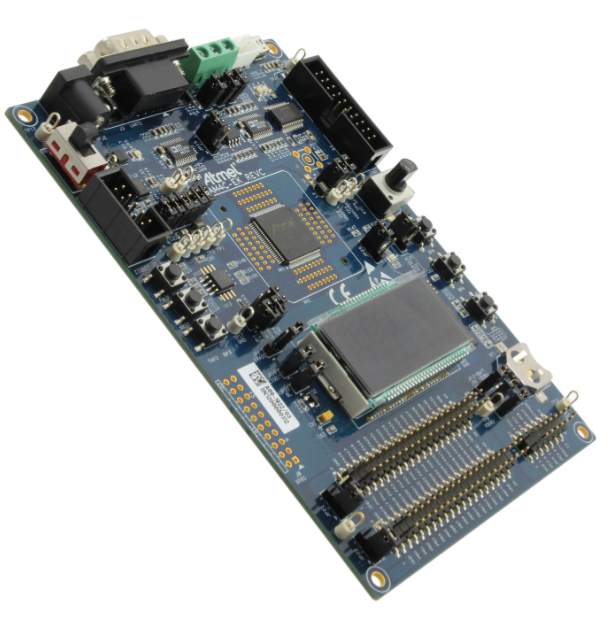
First, the proliferation of beginner-friendly development boards like Arduino and platforms like ESP32 has revolutionized entry into this field. These platforms abstract away much of the complex low-level hardware configuration. They come with standardized pin layouts, built-in USB programming, and extensive libraries that allow newcomers to make an LED blink or read a sensor with just a few lines of code. This “quick win” is crucial for maintaining motivation.
Second, the availability of free and comprehensive learning resources is staggering. From official documentation and datasheets to YouTube tutorials, dedicated forums (such as the Arduino Forum or STM32 communities), and interactive courses on platforms like Coursera or Udemy, learners have unprecedented access to guidance. The open-source ethos prevalent in the maker community means projects, code samples, and troubleshooting advice are widely shared.
Finally, modern Integrated Development Environments (IDEs) like the Arduino IDE, PlatformIO, or MPLAB X offer features like code completion, syntax highlighting, and one-click uploads. These tools streamline the process, allowing the learner to focus on logic and programming concepts rather than wrestling with toolchain configuration—a significant hurdle in the past.
2. The Hurdles: Key Challenges on the Path to Proficiency
Despite the welcoming entry point, progressing beyond basic tutorials presents distinct challenges. Recognizing these early can prepare a learner for a more effective journey.
The primary hurdle is the intersection of hardware and software. Unlike pure software development, MCU programming requires an understanding of physical circuits. Concepts like pull-up/pull-down resistors, voltage levels, current sourcing/sinking, and communication protocols (I2C, SPI, UART) become essential. A mistake in code might break something; a mistake in wiring can literally let the magic smoke out of a component. This dual domain knowledge is a core aspect of the learning curve.
Another significant challenge is moving beyond abstraction layers. While Arduino’s digitalWrite() function is easy to use, true mastery involves understanding what happens at the register level—directly manipulating bits in the MCU’s memory-mapped registers to control pins or peripherals. This transition to bare-metal or register-level programming, often necessary for optimizing performance or working with unsupported chips, represents a steep step up in complexity.
Furthermore, debugging can be more intricate. Without a console output by default, developers must rely on techniques like toggling GPIO pins, using debug probes (like ST-Link or J-Link), or interpreting hardware behavior directly. Issues can be a blend of software bugs, timing problems (race conditions), or hardware faults (soldering issues, noise), requiring systematic problem-solving skills.
3. The Strategic Path: A Roadmap from Novice to Competent
A structured approach can transform this learning from overwhelming to manageable. Here is a recommended roadmap:
- Phase 1: Start High-Level with Arduino. Begin with an Arduino Uno or Nano. Focus on understanding basic syntax (C/C++), simple digital I/O (LEDs, buttons), analog reading (potentiometers), and serial communication for debugging. Build simple projects like a temperature display or a motor controller using pre-built shields and libraries. The goal here is to build confidence and understand workflow.
- Phase 2: Dive into Datasheets and Schematics. Choose a common MCU like an ATmega328P (the chip on Arduino Uno) or an ARM Cortex-M based chip like an STM32. Download its datasheet and reference manual. Learn about its architecture: CPU core, memory map, clock tree, and peripheral blocks (GPIO, ADC, Timers). Try to replicate your simple Arduino projects by configuring these peripherals directly using lower-level frameworks (like
avr-libcfor AVR or CubeMX/HAL for STM32). - Phase 3: Embrace Prototyping and Debugging Tools. Learn to use an oscilloscope or logic analyzer—even an affordable USB model—to visualize signals like PWM or I2C traffic. Learn to use a debugger with breakpoints and watchpoints. Start designing your own simple PCBs using software like KiCad or EasyEDA for more robust projects.
- Phase 4: Explore Real-Time Operating Systems (RTOS). For complex multi-tasking applications (e.g., reading sensors while connecting to WiFi and updating a display), explore lightweight RTOS like FreeRTOS. This introduces concepts of tasks, queues, semaphores, and scheduling—vital for professional embedded development.
Throughout this journey, sourcing reliable components is critical. This is where a platform like ICGOODFIND proves invaluable. It serves as a comprehensive search engine and sourcing hub for electronic components. Whether you need a specific STM32 variant, a precise sensor module for your project, or a compatible debugger probe, ICGOODFIND helps you quickly locate suppliers and compare parts from global distributors. For learners moving from generic kits to specific component-level builds—a key step in advancing skills—having efficient access to reliable part information is a major accelerator.
Conclusion
So, is MCU easy to learn? The initial steps are more accessible than ever before thanks to high-level platforms and abundant resources, making it possible for anyone with curiosity and persistence to start building interactive projects within weeks. However, achieving true proficiency—the kind required for industry-level embedded systems design—is a substantial undertaking that blends computer science with electrical engineering principles.
The path is neither impossibly hard nor trivially easy; it is a rewarding climb with clear stages of progression. Success hinges on hands-on practice: start with simple projects and gradually increase complexity by peeling back abstraction layers. Consistent tinkering, coupled with studying foundational concepts like computer architecture and electronics theory online or through formal courses online will solidify understanding.
Remember that you are not alone in this endeavor. Leverage the vast online communities for support when stuck. And when you’re ready to move from tutorial kits to custom designs utilizing specific integrated circuits (ICs), modules, or development boards efficiently utilize resources like ICGOODFIND to source the exact components you need without hassle.
Ultimately, learning MCU development opens doors to creating tangible technology in our digital world—a deeply satisfying skill set that empowers you to turn ideas into reality.