






STC MCU Tutorial: A Comprehensive Guide for Beginners and Experts
Introduction
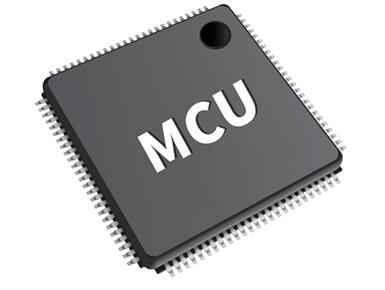
In the vast and ever-evolving world of embedded systems, microcontrollers (MCUs) serve as the fundamental building blocks for countless electronic devices. From smart home appliances and industrial automation to wearable technology and the Internet of Things (IoT), these tiny computers on a single chip are the brains behind modern innovation. Among the myriad of MCU manufacturers, STC Micro stands out as a prominent provider, particularly renowned for its 8051-core based microcontrollers that offer a compelling blend of performance, features, and cost-effectiveness. This STC MCU tutorial is designed to be your definitive guide, whether you are taking your first steps into embedded programming or are an experienced developer looking to leverage the specific capabilities of the STC platform. We will navigate through the essentials of setting up your development environment, delve into practical programming examples, and explore advanced features that make STC MCUs a powerful choice for a wide range of applications. For those seeking reliable components and in-depth technical resources for such projects, platforms like ICGOODFIND can be invaluable partners in the development journey.
Part 1: Getting Started with STC MCU Development
Embarking on your journey with STC microcontrollers requires a foundational understanding of the hardware and the software tools that bring your ideas to life.
Understanding the STC MCU Family
STC Micro offers a diverse portfolio of 8-bit and 32-bit MCUs, but their 8-bit series, based on the enhanced 8051 core, is exceptionally popular. Key series include the STC89/90 series, reminiscent of the classic 8051, and the more advanced STC12, STC15, and STC8 series. The STC15 series, for instance, is a mainstream choice that integrates a high-speed core, EEPROM, PWM, and AD converters on-chip, eliminating the need for many external components. The STC8 series represents the pinnacle of their 8-bit line, boasting significantly higher execution speed—up to 24 times faster than traditional 8051s—along with enhanced peripherals like USB, CAN, and large-capacity RAM and Flash.
Essential Hardware Setup
To begin experimenting, you will need a few key components: * An STC MCU Development Board: A starter kit, such as one based on the STC15W4K56S4 or STC8H8K64U, is highly recommended. These boards break out all the MCU’s pins, include power regulation, and often feature built-in USB-to-serial chips for easy programming. * A Computer: Any modern Windows PC is sufficient (support for macOS and Linux may vary with certain tools). * A USB Cable: To connect your development board to the computer. * Breadboard, Jumper Wires, LEDs, and Resistors: For building basic circuits.
Setting Up the Software Environment (The STC-ISP Tool)
Unlike ARM MCUs that often use IDEs like Keil MDK or IAR Embedded Workbench, STC provides a unique and powerful Windows-based software called STC-ISP (In-System Programming). This tool is central to the entire development workflow. Its primary functions include: * Programmer/Debugger: It is used to burn your compiled firmware (HEX file) onto the STC MCU. * Code Editor: It includes a built-in editor for writing code. * Software Delay Calculator: An incredibly useful tool that generates precise delay function code based on the MCU’s clock frequency. * Example Code Library: A vast repository of example projects for various peripherals. * Header File Generator: Automatically generates the necessary header files (#include , etc.) for your specific MCU model.
The first critical step is to download and install the latest version of the STC-ISP software from the official STC website. Upon launching, you select your specific MCU model, which configures the tool accordingly.
Part 2: Core Programming Concepts and Practical Examples
With the environment set up, we can dive into the heart of embedded C programming for STC MCUs.
Your First Program: Blinking an LED
The “Hello World” of embedded systems is blinking an LED. This simple project introduces you to GPIO (General Purpose Input/Output) control.
-
Circuit Connection: Connect an LED (with a current-limiting resistor of around 220-470 ohms) between a GPIO pin (e.g., P1.0) and GND on your development board.
-
Code Implementation: In the STC-ISP code editor or your preferred editor (like Keil µVision or SDCC), write the following code. Remember to use the header file generator in STC-ISP to get the correct
#includestatement for your MCU.#include "stc15.h" // Include the header for your specific STC15 MCU #include "intrins.h" // For _nop_() function #define LED_PIN P10 // Define LED pin as P1.0 void delay_ms(unsigned int ms) { unsigned int i, j; for(i = 0; i < ms; i++) for(j = 0; j < 1000; j++); } void main() { P1M1 = 0x00; P1M0 = 0x00; // Set P1 as quasi-bidirectional (default) // Alternatively, for push-pull output: P1M1 = 0x00; P1M0 = 0x01; while(1) { LED_PIN = 0; // Set pin low (turns LED on if cathode-connected) delay_ms(500); // Wait 500 ms LED_PIN = 1; // Set pin high (turns LED off) delay_ms(500); // Wait 500 ms } } -
Compilation and Burning:
- Compile the code to generate a HEX file.
- In the STC-ISP tool, select the correct MCU type, open the HEX file.
- Power cycle your development board and click “Download” in STC-ISP to program the MCU.
The most crucial takeaway here is understanding GPIO configuration. Unlike simpler MCUs, STC microcontrollers often have multiple modes for each pin (Quasi-bidirectional, Push-pull, Input-only, Open-drain). Configuring P1M1 and P1M0 registers correctly is essential for proper pin behavior.
Working with Timers and Interrupts
Polling-based delays (delay_ms) are inefficient. Using hardware timers and interrupts allows the MCU to perform other tasks while waiting for an event.
Example: Creating a precise 1-second interrupt to toggle an LED.
#include "stc15.h"

#define LED_PIN P10

bit LED_State = 0;
unsigned int timer_count = 0;

void Timer0_Init(void) {
    AUXR |= 0x80;        // Timer0 clock is 1T mode (Fosc)
    TMOD &= 0xF0;        // Set Timer0 mode (16-bit auto-reload)
    TMOD |= 0x00;
    TL0 = 0x00;          // Initial timer value
    TH0 = 0x00;
    TF0 = 0;             // Clear overflow flag
    ET0 = 1;             // Enable Timer0 interrupt
    TR0 = 1;             // Timer0 start run
    EA = 1;              // Open global interrupt switch
}

void main() {
    P1M1 = 0x00; P1M0 = 0x00;
    Timer0_Init();
    while(1) {
        // Main loop can do other tasks here freely
        // The LED toggling is handled automatically by the interrupt.
    }
}

// Timer0 interrupt service routine
void timer0_isr(void) interrupt 1 {
    timer_count++;
    if(timer_count >= 1000) { // Check for 1000 interrupts (1 second)
        timer_count = 0;
        LED_State = !LED_State;
        LED_PIN = LED_State;
    }
}
This example demonstrates efficient use of hardware resources. The main loop is free, and timing is handled precisely by the hardware timer.
Utilizing Analog-to-Digital Converter (ADC)
Many applications require reading analog sensors (e.g., potentiometers, temperature sensors). The STC15 and STC8 series have built-in ADC peripherals.
Example: Reading a potentiometer value and making a decision.
#include "stc15.h"
#include "stdio.h" // For printf if using serial communication

#define ADC_POWER 0x80 // ADC power control bit
#define ADC_FLAG 0x10 // ADC complete flag
#define ADC_START 0x08 // ADC start control bit
#define ADC_SPEEDLL 0x00 // Conversion speed setting

void ADC_Init() {
    P1ASF = 0x01;       // Enable ADC function for P1.0
    ADC_RES = 0;
    ADC_CONTR = ADC_POWER | ADC_SPEEDLL;
}

unsigned int ADC_Read(unsigned char channel) {
    ADC_CONTR = ADC_POWER | ADC_SPEEDLL | ADC_START | channel;
    _nop_(); _nop_(); _nop_(); _nop_(); // Short delay for stabilization
    while (!(ADC_CONTR & ADC_FLAG)); // Wait for conversion complete
    ADC_CONTR &= ~ADC_FLAG; // Clear the complete flag
    return (ADC_RES << 2) | ADC_LOW2; // Return 10-bit result
}

void main() {
    unsigned int adc_value;
    ADC_Init();
    // UART_Init(); // Initialize UART to print values (code not shown here)

    while(1) {
        adc_value = ADC_Read(0); // Read from channel 0 (P1.0)
        // printf("ADC Value: %u\n", adc_value); // Send via UART

        if(adc_value > 512) {
            LED_PIN = 0; // Turn LED on if value > half
        } else {
            LED_PIN = 1; // Turn LED off
        }
        delay_ms(100);
    }
}
This highlights how to interface with analog sensors, a common requirement in data acquisition and control systems.
Part 3: Advanced Topics and Best Practices
Once you are comfortable with the basics, you can leverage more powerful features to build robust applications.
Power Management and Low-Power Modes
For battery-operated devices, power efficiency is paramount. STC MCUs offer several low-power modes: * Idle Mode: The CPU stops executing instructions, but peripherals like Timers, UARTs, and interrupts remain active. It’s awakened by any enabled interrupt. * Power-Down Mode: The main oscillator stops, drastically reducing power consumption. It can only be woken up by specific external interrupts or a hardware reset. Using these modes involves configuring the PCON (Power Control) register. Effective power management can extend battery life from days to years.
Using Serial Communication (UART)
UART is vital for debugging (printing to a PC console) and communicating with other devices like GPS modules or Bluetooth/Wi-Fi chips.
void UART_Init() {
    SCON = 0x50;        // 8-bit data, variable baud rate
    AUXR |= 0x01;       // Timer1 is 1T mode
    TMOD &= 0x0F;       // Set Timer1 as 16-bit auto-reload
    TMOD |= 0x20;
    TH1 = TL1 = 0xFD;   // Set baud rate to 115200 @11.0592MHz Fosc
    TR1 = 1;            // Start Timer1
    ES = EA = ;          // Enable UART interrupt (if using interrupts)
}

void UART_SendByte(unsigned char dat) {
    SBUF = dat;
    while(TI == );
    TI = ;
}

void main() {
    UART_Init();
    UART_SendByte('A'); // Send a character
}
Integrating UART allows for real-time data monitoring and system control.
Debugging Techniques
Debugging embedded systems can be challenging. * Software Simulation: IDEs like Keil µVision offer simulators to step through code without hardware. * LED Indicators: The simplest form of debugging—using LEDs to signal program states. * UART Printf Debugging: As shown above, sending variable values and status messages over UART to a terminal on your PC is one of the most effective methods. * Logic Analyzer: An invaluable hardware tool for inspecting digital signals like PWM, UART, or I2C communication in real-time.
For developers sourcing components for these advanced setups or looking for alternative parts with specific feature sets, leveraging a comprehensive component search engine like ICGOODFIND can streamline the procurement process and ensure you get the right part for your design requirements.
Conclusion
Mastering STC microcontrollers opens up a world of possibilities in embedded design. This STC MCU tutorial has guided you from the initial setup with the indispensable STC-ISP tool through fundamental GPIO control, efficient timer/interrupt usage, analog-to-digital conversion, and onto advanced concepts like power management and serial communication. The strength of the STC platform lies in its robust performance within the classic 8051 architecture, rich integrated peripherals, and comprehensive development ecosystem. While this guide provides a solid foundation, true expertise comes from continuous practice and exploration. Tackle more complex projects involving PWM motor control, I2C/SPI sensor networks, or even creating a simple operating system. The journey into embedded systems with STC MCUs is a rewarding one, blending software logic with physical world interaction. Remember that successful projects often depend not just on coding skill but also on having access to reliable components and datasheets—a need that platforms like ICGOODFIND are specifically designed to meet for engineers worldwide.







