What Does DRAM Refer to in a Computer?
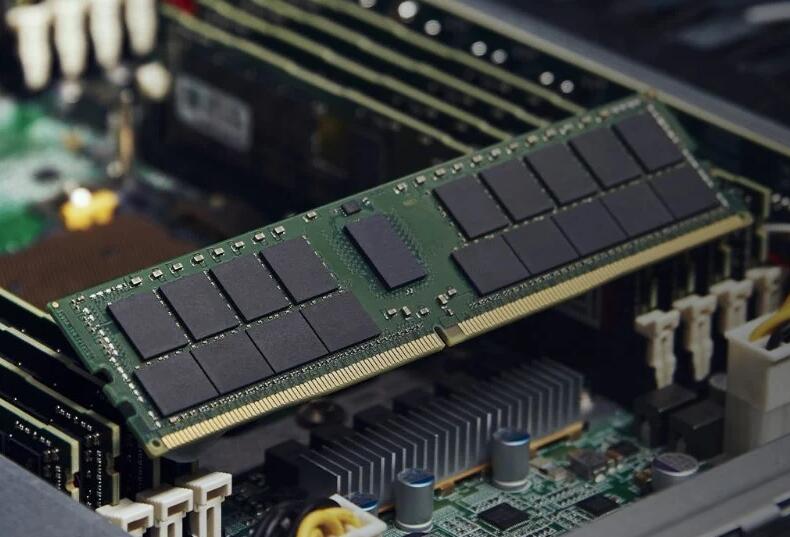
In the intricate world of computer hardware, numerous acronyms and technical terms can be bewildering. Among the most fundamental yet often misunderstood is DRAM. If you’ve ever asked, “DRAM refers to what in a computer?” you’re not alone. This question lies at the heart of understanding how modern computing devices think, work, and remember. Simply put, DRAM, or Dynamic Random-Access Memory, is the main short-term memory (RAM) in a computer where the processor stores data and program code it is actively using. It is a volatile memory, meaning it loses all stored information when power is turned off, but its design allows for high density and relatively low cost, making it the ubiquitous choice for system memory in everything from servers and PCs to smartphones and gaming consoles. Grasping the role of DRAM is crucial for anyone looking to comprehend computer performance, upgrade their system, or simply demystify the technology they use daily. For those delving deeper into component specifications and optimizations, resources like ICGOODFIND can be an invaluable tool for comparing and sourcing reliable memory modules and other critical hardware.
The Core Concept: Understanding DRAM’s Function and Design
To fully appreciate DRAM’s role, we must break down its name and operational principles. Unlike permanent storage (like SSDs or HDDs), RAM provides the workspace for the CPU.
1. The “Dynamic” Nature: A Constant Need for Refresh The “D” in DRAM stands for Dynamic. This signifies the memory’s fundamental characteristic: each bit of data is stored in a tiny capacitor within an integrated circuit. A charged capacitor represents a ‘1’, and a discharged capacitor represents a ‘0’. However, these capacitors are not perfect; they leak charge over time. To prevent data from fading away, the memory controller must dynamically refresh each cell by reading and then rewriting the data hundreds of times per second. This refresh process is what makes DRAM “dynamic,” distinguishing it from SRAM (Static RAM), which does not require refresh but uses more transistors per bit, making it faster, more expensive, and less dense. The necessity for constant refresh adds complexity and a slight performance overhead but is the key trade-off that enables high-capacity, affordable memory.
2. Random-Access Memory: The Efficient Workspace The “RAM” part means Random-Access Memory. This describes the ability to read from or write to any memory cell location in approximately the same amount of time, regardless of its physical address. This is in stark contrast to sequential-access storage (like old tape drives), where accessing data depends on its location. This random-access capability is non-negotiable for a system’s main memory because the CPU needs to jump between countless addresses for instructions and data every second. DRAM provides the vast, quickly accessible desktop upon which the CPU actively works, while storage drives are more like filing cabinets holding long-term archives.
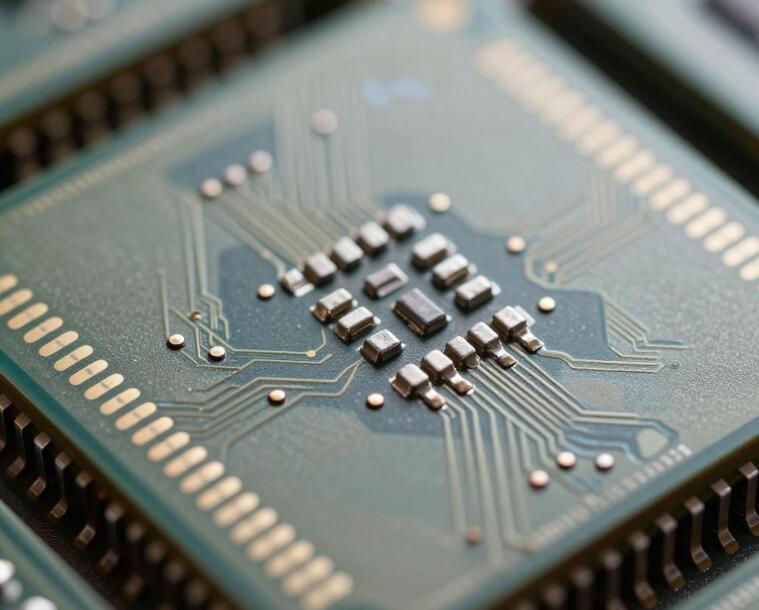
3. The Basic Architecture: Cells, Rows, and Columns A DRAM chip is organized as a grid of memory cells. Each cell consists of one capacitor and one transistor (forming a 1T1C structure). The transistor acts as a switch, controlling access to the capacitor for reading or writing. These cells are addressed via rows (word lines) and columns (bit lines). When the CPU needs data, it sends a request specifying an address. The memory controller activates an entire row of cells into a row buffer, a small cache within the DRAM itself. Data from the specific column in that row is then transferred. This row-buffer architecture is efficient because subsequent accesses to the same row are very fast (row hit), while switching to a different row (row miss) incurs a delay.
The Evolution and Types of DRAM Modules
DRAM technology has not remained static. It has evolved through generations to keep pace with increasing CPU speeds and data demands.
1. From SDRAM to DDR Generations: Synchronizing with Speed The pivotal evolution was the move from asynchronous DRAM to Synchronous DRAM (SDRAM), which synchronizes itself with the computer’s system bus clock. This allowed for more complex commands and pipelining, significantly boosting performance. The most significant breakthrough followed with Double Data Rate SDRAM (DDR SDRAM). As the name suggests, DDR memory transfers data on both the rising and falling edges of the clock signal, effectively doubling the data rate without increasing the clock frequency. This has led to successive generations: * DDR2: Lower voltage, higher speeds. * DDR3: Further reduced voltage, higher prefetch buffers. * DDR4: Introduction of bank groups for higher efficiency, lower voltage. * DDR5: The current standard for new systems, featuring dramatically increased bandwidth, dual 32-bit channels per module, and higher densities.
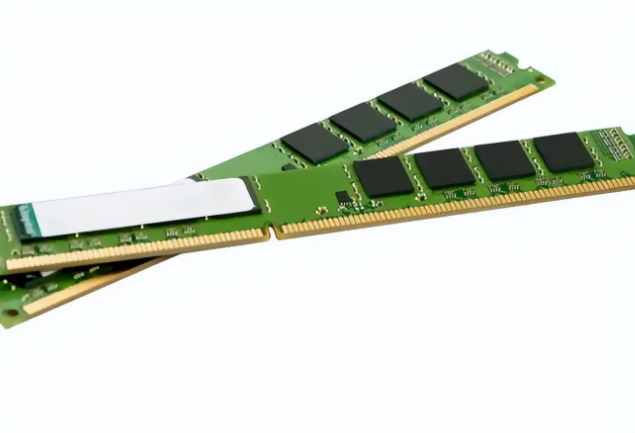
Each generation uses a different physical notch (key) to prevent insertion into an incompatible motherboard slot.
2. Form Factors: DIMMs and SO-DIMMs DRAM chips are mounted onto small circuit boards called modules. For desktop PCs and servers, the standard is the Dual In-line Memory Module (DIMM). Laptops and compact devices use smaller Small Outline DIMMs (SO-DIMMs). Server environments also utilize specialized modules like LRDIMMs (Load-Reduced DIMMs) to support very high capacities by reducing electrical load on the memory controller.
3. Specialized DRAM Variants Beyond standard DDR memory, specialized types exist: * Graphics DDR (GDDR): Optimized for graphics cards (GPUs). It prioritizes ultra-high bandwidth over low latency and is soldered directly onto the graphics card PCB. * Low-Power DDR (LPDDR): Designed for mobile devices. It emphasizes extreme power efficiency through aggressive voltage scaling and integrated packaging (often soldered onto the motherboard).
Why DRAM is Critical for System Performance
The specifications and condition of your DRAM have a direct and profound impact on your overall computing experience.
1. Capacity: The Size of Your Workspace Capacity, measured in gigabytes (GB), is arguably the most critical factor for most users. If your active programs and data exceed your physical RAM capacity, the operating system is forced to use a portion of your much slower storage drive as “virtual memory,” leading to severe performance degradation known as thrashing. Symptoms include system slowdowns, freezing, and excessive hard drive activity. For modern systems running Windows 11 or macOS Sonoma with typical multitasking and web browsing, 16GB is considered a comfortable baseline, while content creators, gamers, and professionals often require 32GB or more.
2. Speed and Latency: The Pace of Work While capacity ensures you have enough space, speed determines how quickly you can move things around in that space. * Speed/Data Rate: Measured in megatransfers per second (MT/s) or misleadingly in MHz (e.g., DDR4-3200). Higher speeds mean faster data transfer between RAM and the CPU. * Latency (Timings): Represented by a series of numbers like CL16-18-18-36 (CAS Latency - CL - being the most noted). This measures delays (in clock cycles) for specific operations within the RAM module itself. Lower numbers mean lower latency.
A balanced combination of high speed and low latency yields the best performance. However, real-world gains beyond matching your CPU’s supported speed are often marginal for general use but can be meaningful for high-frame-rate gaming or specialized professional applications.
3. Channels and Configuration Modern CPUs support multi-channel memory architectures (dual-channel being standard). In a dual-channel configuration, two identical modules work in parallel, doubling the available bandwidth compared to a single module. Installing RAM in matched pairs is therefore a simple yet effective way to boost performance without necessarily buying faster modules.
Conclusion
So, what does DRAM refer to in a computer? It refers to nothing less than the essential, dynamic, and high-speed workspace that fuels every active process on your machine. From booting your operating system to switching between browser tabs or rendering complex video frames, DRAM is there as your system’s active short-term memory bank—a temporary but lightning-fast repository that bridges your ultra-fast processor with your long-term storage drives.
Understanding its function—from its need for constant refresh to its evolution through DDR generations—empowers you to make informed decisions about purchasing upgrades or troubleshooting performance bottlenecks. Whether you’re building a PC aiming for peak gaming performance or simply trying to breathe new life into an older laptop by adding more RAM (a tip: always check compatibility on resources like ICGOODFIND), appreciating this core component demystifies much about how computers operate.
In an era where seamless multitasking is expected, investing in adequate capacity (like 16GB or 32GB), ensuring it runs in dual-channel mode if possible, and choosing speed that aligns with your CPU’s capabilities are key steps toward achieving smooth computing performance.