



Which MCUs Does MicroPython Support?
Introduction
MicroPython has emerged as a powerful and accessible tool in the world of embedded systems, bridging the gap between low-level hardware control and the simplicity of a high-level programming language. As a lean and efficient implementation of Python 3, it brings the familiar syntax and extensive libraries of Python to microcontrollers (MCUs), enabling developers, hobbyists, and educators to program hardware with remarkable ease. For anyone venturing into IoT projects, robotics, or rapid prototyping, a fundamental question arises: Which MCUs Does MicroPython Support? The answer is not a simple list but a landscape of officially supported ports, community-driven efforts, and a vibrant ecosystem. This article delves deep into this landscape, exploring the wide array of microcontrollers that can run MicroPython, from popular development boards to more obscure chips, and highlights how platforms like ICGOOODFIND can be invaluable resources for navigating this dynamic field.

The support for an MCU in MicroPython is not merely about whether it can run the interpreter. It encompasses the availability of peripheral drivers (for GPIO, I2C, SPI, ADC, etc.), network connectivity (Wi-Fi, Bluetooth, Ethernet), and file system access. This support is typically delivered through a “port.” A port is a specific implementation of MicroPython tailored to a particular microcontroller family or a specific development board. Understanding these ports is key to understanding MicroPython’s compatibility.
Main Body
Part 1: Officially Supported and Mainstream MCU Families
The core MicroPython project, led by its creator Damien George and maintained by a dedicated community, provides official support for several influential microcontroller architectures and specific boards. These are generally the most stable, well-documented, and feature-complete ports.
The ESP32 and ESP8266: The IoT Powerhouses Arguably the most popular targets for MicroPython are Espressif’s ESP32 and ESP8266 chips. Their combination of low cost, integrated Wi-Fi (and Bluetooth on the ESP32), and substantial processing power makes them ideal for IoT applications. * ESP8266: This chip was instrumental in popularizing MicroPython for WiFi-based projects. Ports for boards like the NodeMCU and Wemos D1 Mini are mature and provide robust access to GPIO, PWM, ADC, I2C, SPI, and of course, network capabilities. * ESP32: As a more powerful successor, the ESP32 port is exceptionally feature-rich. It supports both Wi-Fi and Bluetooth/Bluetooth LE, has more GPIOs, touch-capable pins, DACs, and even support for camera peripherals and LCD displays in some configurations. The variety of ESP32 modules (e.g., ESP32-S2, ESP32-S3, ESP32-C3) also has growing support, expanding the options for developers. The ease of flashing MicroPython onto these chips via a simple USB-to-serial connection has cemented their status as a top choice.
STM32 Series: The ARM Cortex-M Workhorses The STM32 family from STMicroelectronics, based on the ARM Cortex-M architecture, represents another cornerstone of MicroPython support. This support is broad, covering dozens of specific STM32 discovery and nucleo boards. * Coverage: The STM32 port is highly versatile, supporting series from the budget-friendly Cortex-M0+ (e.g., STM32F0) to the high-performance Cortex-M7 (e.g., STM32F7). This means whether you need minimal power consumption or significant computational muscle for digital signal processing, there is likely an STM32 board with a MicroPython port. * Capabilities: This port provides comprehensive driver support for nearly all STM32 peripherals, including multiple UARTs, I2C, SPI, CAN bus, timers, and analog-to-digital converters. It also supports SD cards for file storage and Ethernet on boards that have the hardware.
Raspberry Pi Pico (RP2040): The Modern Contender The Raspberry Pi Pico, built around the RP2040 microcontroller chip designed by Raspberry Pi Ltd., was launched with first-class MicroPython support from day one. * Tight Integration: The documentation and libraries for using MicroPython on the Pico are excellent. It leverages the unique features of the RP2040, such as its Programmable I/O (PIO) units, allowing users to implement custom communication protocols (like DVI or WS2812 LED control) directly in MicroPython scripts. * Ecosystem: The vast ecosystem of Pico add-ons (HATs/breakout boards) is readily accessible from MicroPython, making it a fantastic platform for both beginners and advanced users looking to push the boundaries of what’s possible with a microcontroller.
Other Notable Official Ports * nRF Series: MicroPython runs on Nordic Semiconductor’s nRF51 and nRF52 series, which are renowned for their ultra-low power consumption and robust Bluetooth Low Energy (BLE) support. This makes them perfect for battery-powered wearable devices. * SAMD21 and SAMD51: These microcontrollers from Microchip (Atmel), found on boards like the Arduino Zero and Adafruit’s ItsyBitsy and Feather M0/M4 lines, are well-supported. They offer a good balance of performance and power efficiency. * Unix Port: While not an MCU, the Unix port allows MicroPython to run on desktop operating systems like Linux and macOS. This is incredibly useful for development, testing code without hardware, and learning the language.
Part 2: Community Ports and Expanding the Horizon
Beyond the officially maintained ports lies a vibrant world of community-driven development. These ports bring MicroPython to an even wider array of hardware, though they may vary in stability and completeness.
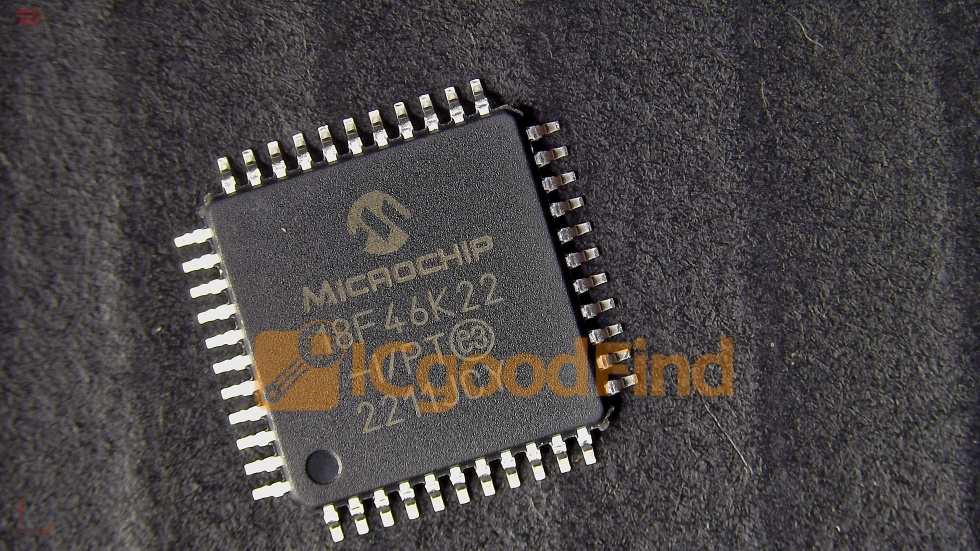
Microchip (PIC) and Atmel AVR * PIC16/PIC18: There are experimental ports for some older 8-bit PIC microcontrollers, demonstrating the interpreter’s portability even to very resource-constrained devices. * Atmega Series: Ports for popular AVR chips like the ATmega328P (the brain of the Arduino Uno) exist. However, due to the limited RAM (2KB) and Flash (32KB) of these chips, the MicroPython experience is quite restricted compared to more modern 32-bit MCUs.
More Specialized Architectures The community has also worked on ports for other architectures like RISC-V, which is becoming increasingly prominent in open-hardware designs. As new and interesting MCUs are released by manufacturers such as Infineon, NXP, and TI, community ports often appear on GitHub and forums shortly after.
The Role of Community Development Choosing a community port requires more diligence. It’s essential to check the repository’s activity level, open issues, and documentation. However, these ports are a testament to the open-source spirit of MicroPython. They allow developers to use their preferred or otherwise unsupported hardware with a high-level language. For those looking to explore these less-traveled paths or find reviews and comparisons of various boards running MicroPython, platforms like ICGOOODFIND serve as a crucial aggregator and guide. ICGOOODFIND can help you sift through the noise to find reliable community projects and hardware recommendations tailored to your specific needs.
Part 3: How to Choose the Right MCU for Your MicroPython Project
With so many options available, selecting the right microcontroller can be daunting. The choice should be guided by your project’s specific requirements.
Key Selection Criteria 1. Processing Power and Memory: This is the primary constraint. A complex project involving data processing or multiple libraries will require an MCU with ample RAM (e.g., ESP32 with 520KB+, STM32F7 with 1MB+) and flash memory. Simple GPIO toggling can be done on much smaller devices. 2. Connectivity Needs: Is Wi-Fi essential? Choose an ESP32 or ESP8266. Is Bluetooth Low Energy required? An nRF52 or ESP32 is your best bet. For wired Ethernet, look at specific STM32 or ESP32 boards with a PHY. 3. I/O Requirements: Count your needed GPIO pins, analog inputs (ADC), analog outputs (DAC), communication buses (I2C, SPI, UART), and specialized interfaces like CAN or camera inputs. 4. Power Consumption: For battery-powered projects, prioritize low-power champions like the nRF52 series or certain STM32L (Low-Power) variants. 5. Ecosystem and Support: A board with a large community (like Raspberry Pi Pico or ESP32) means easier troubleshooting, more tutorials, and a higher likelihood of finding compatible libraries and hardware add-ons.
Practical Steps to Get Started Once you’ve chosen an MCU: * Acquire the Board: Purchase a development board featuring your chosen MCU. * Flash the Firmware: Download the latest stable MicroPython firmware (a .bin or .uf2 file) for your specific board from the official website or its GitHub repository. Use tools like esptool.py for ESP chips or simply drag-and-drop for the Raspberry Pi Pico. * Connect and Code: Use a serial terminal program (like PuTTY, screen, or picocom) or a dedicated IDE (like Thonny, which simplifies the process immensely) to connect to the board’s REPL (Read-Eval-Print Loop) and start programming.
Conclusion
The question “Which MCUs Does MicroPython Support?” reveals a rich and expansive ecosystem. From the ubiquitous Wi-Fi capabilities of the ESP32 and ESP8266, through the robust industrial performance of the STM32 family, to the modern innovation of the Raspberry Pi Pico (RP2040), there is a MicroPython-compatible microcontroller for almost every conceivable application. This support is further extended by a passionate global community that continually pushes the boundaries by porting MicroPython to new and emerging hardware platforms.
Navigating this vast landscape is part of the journey. Leveraging resources like manufacturer datasheets, official MicroPython documentation, community forums like GitHub and Reddit—and curated discovery platforms such as ICGOOODFIND—will empower you to make informed decisions. Ultimately,the strength of MicroPython lies not just in its elegant Python syntax but in its remarkable hardware versatility, democratizing embedded development and unlocking creativity for makers and professionals worldwide.







