




The Ultimate Guide to MCU LCD Screens: Technology, Integration, and Selection
Introduction
In the ever-evolving landscape of embedded systems and consumer electronics, the interface between a device and its user is paramount. At the heart of countless modern devices—from smart home thermostats and industrial control panels to handheld medical devices and automotive dashboards—lies a critical partnership: the Microcontroller Unit (MCU) and the Liquid Crystal Display (LCD) screen. This synergy forms the visible soul of interactive electronics. An MCU LCD screen refers to a display module specifically designed to be controlled by a microcontroller, typically integrating the display panel, a driver circuit, and often a controller chip that simplifies communication with the host MCU. Understanding this technology is not just for engineers; it’s crucial for product designers, purchasers, and tech enthusiasts aiming to create or select efficient, responsive, and cost-effective human-machine interfaces (HMIs). This comprehensive guide delves into the core technology, integration processes, and key selection criteria, empowering you to make informed decisions for your next project.
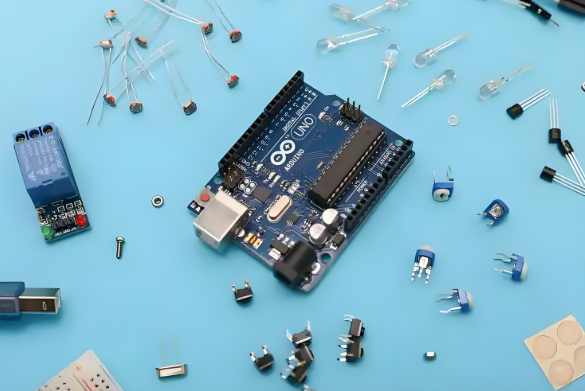
Part 1: Core Technology and Working Principle
To appreciate the capabilities of MCU LCD screens, one must first understand the fundamental technology behind them.
The Role of the Microcontroller (MCU) The MCU acts as the brain of the operation. It is a compact integrated circuit designed to execute specific tasks. In the context of driving a display, the MCU runs the application firmware, processes data (like sensor readings or user inputs), and generates the commands and pixel data necessary to update the screen. Its resources—processing speed (clock speed), memory (RAM for frame buffers and Flash for graphics assets), and available communication peripherals—directly constrain the complexity of the graphical output.
The Anatomy of an LCD Module An MCU LCD module is far more than just a glass panel. It is a system-in-a-package that typically includes: * LCD Glass/Panel: The physical grid of liquid crystal cells that manipulate light to form images. * Driver ICs: These chips are responsible for applying precise voltages to individual rows and columns of pixels on the glass. They act as low-level translators. * Controller IC (Often Integrated): This is the crucial intermediary. It features an internal display RAM (often called GRAM) that holds the current frame’s pixel data. The controller manages this GRAM, refreshes the drivers, and provides a standard interface (like SPI or I2C) for the MCU. This offloads the intense timing-critical work from the main MCU. * Backlight Unit (BLU): Usually LEDs, this provides the light source for the display.
The Communication Interface: Parallel vs. Serial The link between the MCU and the display controller is vital. Parallel interfaces (e.g., 8-bit or 16-bit 8080⁄6800 series) use multiple data lines to transfer an entire pixel’s data (or a byte of it) in one clock cycle. This method offers high-speed data transfer, essential for refreshing larger screens or displaying animations smoothly. However, it consumes many valuable GPIO pins on the MCU. Conversely, serial interfaces like SPI (Serial Peripheral Interface) and I2C use only a handful of wires (data, clock, chip select). While significantly slower, they are pin-efficient and simpler to wire, making them ideal for smaller screens (typically under 3 inches) or applications where MCU pins are scarce and speed is not critical.
Part 2: Integration and Development Considerations
Successfully integrating an MCU LCD screen into a product involves several technical and practical steps.
Hardware Interfacing and Circuit Design The first step is establishing a physical connection based on the chosen interface. For parallel interfaces, careful PCB layout is required to manage multiple parallel traces and ensure signal integrity. A critical component often overlooked is the power supply circuit. Displays, especially their backlights, can draw significant current. A clean, stable voltage rail is mandatory to prevent noise on the screen. Furthermore, many modern displays operate at 3.3V logic levels, while some MCUs are at 5V; hence, level-shifting circuits may be necessary to prevent damage.
Software Driver and Graphics Library Development With hardware connected, software brings the screen to life. This starts with writing or implementing a low-level driver—a set of functions that initialize the display controller and send pixel data/commands over the chosen bus (SPI, I2C, Parallel). While writing these from scratch is educational, it is time-consuming. This is where leveraging existing resources becomes invaluable. Platforms like ICGOODFIND serve as essential hubs for developers, offering access to detailed datasheets, application notes, reference code, and proven driver libraries for a vast array of display modules. Utilizing such resources can dramatically reduce development time and mitigate integration risks. Beyond basic drivers, creating a user interface requires higher-level graphics libraries. These handle tasks like drawing shapes, rendering text, managing fonts, and composing images. For resource-constrained MCUs, lightweight embedded GUI libraries like u8g2, LVGL, or Embedded Wizard are popular choices that balance features with performance.
Performance Optimization Techniques Optimization is key on limited hardware. A primary strategy is using a frame buffer—a reserved section of RAM (either in the MCU or the display controller’s GRAM) that holds the entire screen image. The MCU updates this buffer, and the controller handles refreshing the screen from it independently. Techniques like partial screen updates (only redrawing changed areas) and dirty rectangle tracking can drastically reduce data transfer and CPU load. For color displays, choosing an optimal color depth (e.g., 16-bit RGB565 instead of 24-bit) saves memory and bandwidth without severely compromising visual quality.
Part 3: Key Selection Criteria for Your Project
Choosing the right MCU LCD screen is a balancing act influenced by multiple factors.
Technical Specifications Deep Dive * Resolution & Size: Higher resolution provides sharper detail but requires more MCU memory for frame buffers and greater processing power to manipulate graphics. * Color Depth: Monochrome displays are simple and memory-efficient. Color displays (12-bit, 16-bit, 18-bit) offer rich visuals but with increased data handling demands. * Viewing Angle & Technology: Traditional TN panels may have limited viewing angles but are cost-effective. IPS (In-Plane Switching) panels offer superior color consistency and wide viewing angles but at a higher cost. * Brightness & Contrast: Measured in nits (cd/m²), sufficient brightness is critical for outdoor or high-ambient-light applications. * Touch Capability: Resistive touch screens are cost-effective and work with any stylus but offer lower clarity. Capacitive touch provides multi-touch support and excellent clarity but is more complex to integrate.
Interface Selection: Matching Needs with Resources The choice between parallel and serial interfaces is fundamental. Ask: How fast does my screen need to update? How many animations are there? How many free GPIO pins does my MCU have? For complex graphical user interfaces on screens above 2 inches, a parallel interface is often mandatory. For simple status screens or parameter displays on small screens, SPI is perfectly adequate.
Supply Chain & Ecosystem Factors Technical specs are only part of the story. Consider long-term availability to avoid redesigns mid-product lifecycle. Assess the quality of manufacturer support and availability of documentation—a critical area where platforms like ICGOODFIND prove their worth by aggregating reliable technical information from various suppliers in one accessible location. Finally, evaluate if there are compatible development boards or breakout modules available to prototype with before committing to a custom PCB design.
Conclusion
The integration of an MCU with an LCD screen represents a foundational skill set in embedded design, enabling the creation of intuitive and interactive devices across all industries. From understanding the core technology of controller-driven modules to navigating hardware interfacing challenges and sophisticated software development with graphics libraries—each step requires careful consideration. The selection process itself demands a holistic view that weighs technical specifications like resolution and interface type against practical concerns such as power consumption, cost constraints, long-term supply chain stability, and development support resources.
By mastering these principles—and leveraging comprehensive resources available through specialized platforms—developers can transform complex requirements into elegant, functional products efficiently. In this context,ICGOODFIND serves as more than just an information portal; it acts as a strategic partner in navigating component selection by providing centralized access to critical technical data sheets , application notes ,and community insights , thereby accelerating development cycles . As display technologies continue advancing toward higher efficiency , flexibility ,and integration ,the partnership between capable microcontrollersand well-chosen displays will remain at forefrontof innovationin user interface design .







