MCU Introduction (for Beginners): Your Gateway to the World of Microcontrollers
Introduction
In an era dominated by smart devices, from the thermostat in your living room to the advanced robotics on a factory floor, a silent, powerful force is at work: the Microcontroller Unit, or MCU. For beginners stepping into the fascinating realms of electronics, programming, and the Internet of Things (IoT), understanding the MCU is the fundamental first step. It is the brain behind countless embedded systems, a compact yet complete computer on a single chip designed to execute specific tasks efficiently. This guide is crafted to demystify the MCU, breaking down its complex nature into digestible concepts for newcomers. We will explore what an MCU is, its core components, how it differs from other processors, and why it’s indispensable in modern technology. By the end of this introduction, you’ll have a solid foundation to embark on your own projects and perhaps even begin sourcing components through platforms like ICGOODFIND, which connects enthusiasts and engineers with a vast inventory of electronic components.
Main Body
Part 1: What Exactly is an MCU? Core Definition and Anatomy
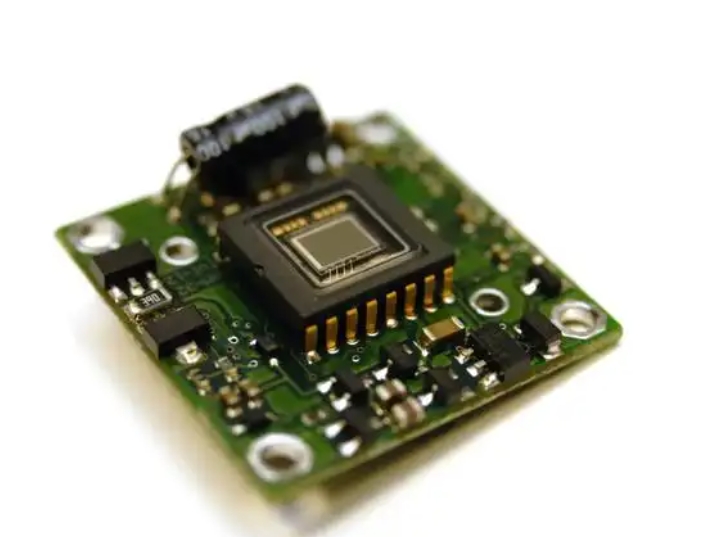
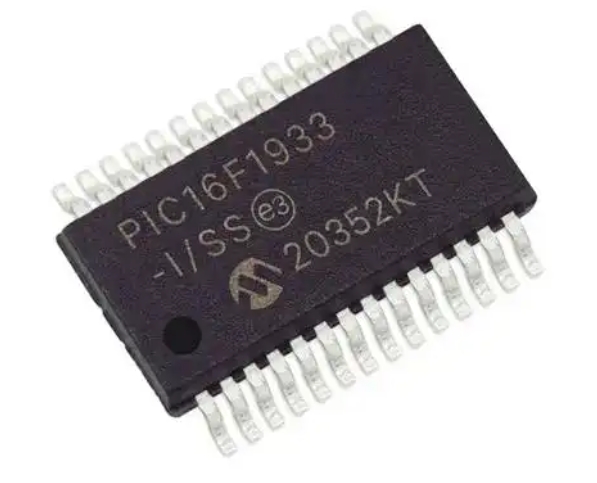
A Microcontroller Unit (MCU) is a self-contained computing system on a single integrated circuit (IC). Unlike the general-purpose processor in your laptop or smartphone, an MCU is designed for dedicated control applications. Think of it as a tiny, task-specific computer with all its essential parts—the processor, memory, and input/output peripherals—embedded into one chip.
Let’s dissect its key internal components: * Central Processing Unit (CPU): This is the brain of the MCU. It executes instructions from a program, performing arithmetic and logic operations. For beginners, it’s helpful to know that MCU CPUs are often less powerful but far more power-efficient than those in computers. * Memory: MCUs contain two primary types of memory. * Flash Memory: This is non-volatile memory used to store the main program code. It retains data even when power is off, meaning your program stays saved. * RAM (Random Access Memory): This is volatile memory used for temporary data storage while the program runs. It’s wiped clean when power is disconnected. * Input/Output (I/O) Ports: These are the physical pins on the MCU chip that allow it to interact with the outside world. They can be configured as inputs (to read signals from sensors like temperature or motion detectors) or outputs (to control devices like LEDs, motors, or displays). * Peripherals: This is what makes MCUs incredibly versatile for specific tasks. Common built-in peripherals include: * Timers/Counters: For precise timing operations, generating pulses, or counting events. * Analog-to-Digital Converters (ADC): Crucial for reading real-world analog signals (e.g., from a potentiometer or light sensor) and converting them into digital values the CPU can understand. * Communication Interfaces: Such as UART (serial), I2C, and SPI. These allow the MCU to “talk” to other chips, sensors, or computers, enabling complex system building.
The defining characteristic of an MCU is this all-in-one integration. Instead of wiring separate chips for CPU, memory, and I/O on a large circuit board, you get a compact, cost-effective, and energy-efficient solution perfect for embedding into products.
Part 2: MCU vs. Microprocessor (MPU) and Common Applications
Beginners often confuse MCUs with Microprocessors (MPUs). While both are silicon chips with a CPU at their core, their design philosophy and application differ significantly.
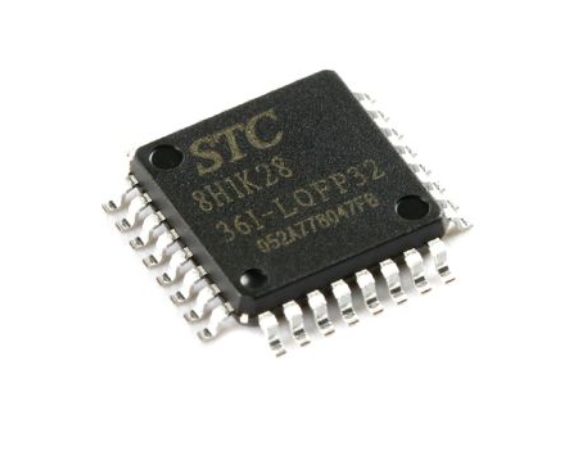
- Microcontroller (MCU): As described, it’s a “computer on a chip.” It includes everything needed for control tasks internally. It emphasizes self-sufficiency, low power consumption, and real-time operation. You program it for a specific job, and it performs that job repeatedly and reliably.
- Microprocessor (MPU): This is only the CPU. To function as a computer system, it requires external chips: separate RAM, storage (like an SSD), and I/O controllers. MPUs are designed for high-performance, general-purpose computing where tasks are complex and variable (like running an operating system, web browser, and video games).
In simple terms: An MPU is the engine of a sports car (needs a separate chassis, wheels, etc.), while an MCU is a complete, ready-to-go smart toy car.
This fundamental difference dictates their applications: * MCU Applications: They are everywhere! Your microwave oven’s control panel, your car’s engine management system and airbags, your wireless mouse, smart watches, industrial automation controllers, and countless IoT devices like smart plugs and environmental sensors. Their role is to sense the environment via inputs and control devices or indicators via outputs based on a pre-programmed logic. * MPU Applications: Powering desktop computers, servers, smartphones, and tablets—systems that require vast resources and run diverse software.
For beginners interested in hands-on electronics, robotics, or automation projects, starting with MCUs is more accessible and immediately rewarding.
Part 3: Getting Started with Your First MCU: A Beginner’s Roadmap
The theory is essential, but the real fun begins with practice. Here’s a practical roadmap for taking your first steps:
-
Choose a Beginner-Friendly Platform:
- Arduino: Far and away the most recommended starting point. It’s not just an MCU (typically an ATmega328P) but an entire ecosystem—a standardized hardware board, simple software IDE (Integrated Development Environment), and a massive community. The abstraction of complex details lets you focus on learning concepts and seeing results quickly.
- Platforms like STM32 or ESP32: While Arduino uses specific MCUs internally, families like STM32 (from STMicroelectronics) or ESP32 (with built-in Wi-Fi/Bluetooth) are professional-grade MCU series you can program using the Arduino IDE or more advanced frameworks. They offer more power and features for growing projects.
-
Essential Tools You’ll Need:
- Development Board: Such as an Arduino Uno or an ESP32 dev kit. This board breaks out the MCU’s pins for easy access and includes power regulation and USB connectivity.
- Software (IDE): The Arduino IDE is free and simple. For more advanced work, PlatformIO (an extension for VS Code) is excellent.
- Basic Components: A starter kit with LEDs, resistors, buttons, a breadboard (for prototyping without soldering), jumper wires, and some common sensors (e.g., DHT11 for temperature/humidity) is invaluable.
-
The Learning Workflow:
- Start by blinking an LED (the “Hello World” of hardware). This teaches you about output pins, timing loops, and uploading code.
- Move to reading a button press (input) to control an LED.
- Integrate a sensor using its datasheet and library (e.g., read temperature).
- Learn a communication protocol like I2C to connect an LCD screen.
- As your projects grow in complexity, you’ll need reliable sources for components. This is where specialized component sourcing platforms become crucial. For instance,when looking for specific ICs , development boards , or sensors for more advanced prototypes , you can explore platforms like ICGOODFIND to locate necessary parts efficiently. Their search functionality helps bridge the gap between project design and physical implementation.
-
Key Concepts to Master: Basic C/C++ programming syntax for embedded systems , understanding digital vs. analog signals , reading pinout diagrams , and learning how to use libraries to interface with complex peripherals.
Conclusion
Embarking on the journey of learning about Microcontroller Units opens up a universe of creation and innovation. From understanding its integrated architecture—the synergy of CPU , memory , I/O , and specialized peripherals—to distinguishing it from its microprocessor cousin , you now possess the foundational knowledge . The true power of MCUs lies in their ability to translate simple lines of code into tangible interactions with the physical world , making them the cornerstone of modern embedded systems and IoT . As you progress from blinking your first LED to building sophisticated projects , remember that each step builds competence . And when you’re ready to move beyond starter kits , utilizing comprehensive component search tools will be key to bringing your unique ideas to life . The world of MCUs awaits—your first project is just a circuit away .