



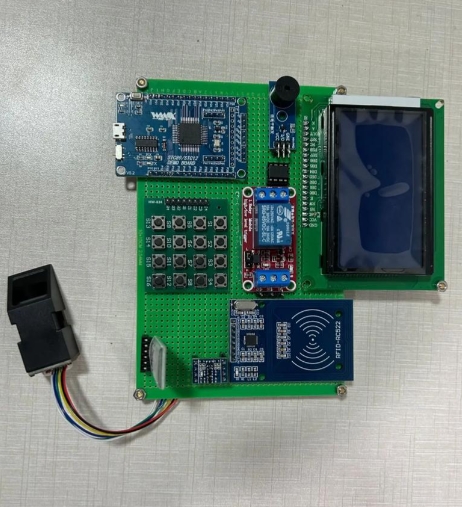
How to Control a Motor with MCU?
Introduction
In the realm of embedded systems and robotics, controlling a motor is a fundamental skill. From simple hobbyist projects to complex industrial automation, the ability to command a motor’s speed, direction, and torque forms the backbone of motion control. At the heart of this capability lies the Microcontroller Unit (MCU), a compact integrated circuit designed to govern specific operations in an embedded system. This article serves as a comprehensive guide on how to interface and control various types of motors using an MCU. We will demystify the process, explore different motor types and control techniques, and provide practical implementation insights. Whether you are an engineering student, a DIY enthusiast, or a professional developer, mastering motor control with an MCU opens doors to creating dynamic, interactive, and intelligent hardware projects.
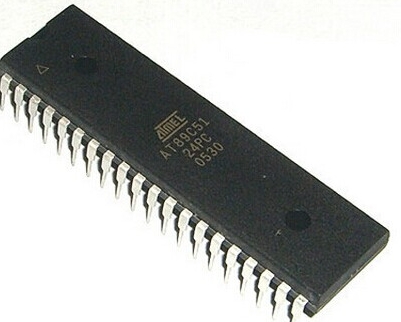
Main Body
Part 1: Understanding Motors and MCU Fundamentals
Before diving into control circuits, it’s crucial to understand the key components. Microcontrollers (MCUs) are essentially small computers on a single chip. They contain a processor core, memory (both program and data), and programmable input/output peripherals. Popular families for motor control include Arduino (ATmega), STM32, PIC, and ESP32. Their general-purpose I/O (GPIO) pins are the primary interface for sending control signals to external hardware like motors.
On the other side, we have motors, which convert electrical energy into mechanical motion. The three most common types controlled by MCUs are: * DC Brushed Motors: Simple, inexpensive, and easy to control. They run on direct current and their speed is roughly proportional to the applied voltage. Reversing polarity reverses direction. * Stepper Motors: Move in discrete steps, offering precise positional control without needing a feedback sensor (open-loop control). Ideal for 3D printers, CNC machines, and robotic arms. * Brushless DC (BLDC) Motors: More efficient and durable than brushed DC motors. They require more complex electronic control but offer higher speed, torque, and lifespan. Common in drones, electric vehicles, and high-performance fans.
The core challenge in MCU-motor interfacing is that an MCU’s GPIO pin can only provide a low-voltage (e.g., 3.3V or 5V) signal with very limited current (a few milliamps). A motor, however, often requires higher voltages (6V, 12V, 24V+) and significant current (hundreds of milliamps to amps) to operate. Directly connecting a motor to an MCU pin will at best not work, and at worst permanently damage the microcontroller. Therefore, an intermediary driver or interface circuit is absolutely essential. This circuit acts as a powerful switch, using the MCU’s low-power signal to control the high-power flow to the motor.
Part 2: Core Control Techniques and Driver Circuits
This section breaks down the essential techniques for controlling different motor aspects.
1. Direction Control: The H-Bridge Circuit To change the direction of a DC or stepper motor, you need to reverse the polarity of the voltage applied to it. The H-Bridge is the fundamental circuit for bidirectional control of a DC motor. It consists of four electronic switches (transistors or MOSFETs) arranged in an “H” configuration around the motor. By activating specific pairs of switches, you can make current flow through the motor in either direction. * Practical Implementation: Building discrete H-bridges with MOSFETs is common for high-current applications. However, for most projects, using integrated H-bridge driver ICs like the L298N or the more modern DRV8833 is highly recommended. These chips contain all necessary logic, protection diodes, and sometimes current sensing, simplifying design and improving reliability.
2. Speed Control: Pulse Width Modulation (PWM) An MCU cannot easily vary its output voltage. Instead, it uses Pulse Width Modulation (PWM) to simulate an analog voltage and control motor speed. PWM works by rapidly switching the power to the motor on and off. The key parameter is the duty cycle—the percentage of time the signal is “on” during one cycle. * A 25% duty cycle means power is on for 25% of the time, resulting in low average voltage and slow speed. * A 75% duty cycle provides a higher average voltage, resulting in faster speed. The switching frequency is so high that the motor’s inertia smooths out the pulses, resulting in continuous rotation at variable speed. Nearly all modern MCUs have dedicated hardware PWM pins that generate these signals precisely without CPU overhead.
3. Combining Direction and Speed: In practice, you almost always combine an H-bridge driver with PWM. You use two MCU pins for H-bridge control (direction) and one PWM-capable pin for speed. The driver IC takes these signals and applies the correctly polarized, power-amplified PWM waveform directly to the motor terminals.
4. Specialized Drivers: * For Stepper Motors: Dedicated stepper driver modules like the A4988 or DRV8825 are used. They handle the complex sequencing of currents through the motor’s coils (phases). The MCU simply sends a “direction” signal and “step” pulses; each pulse moves the motor one micro-step. * For BLDC Motors: Control is most complex, often requiring three half-H-bridges in a specific sequence based on rotor position (sensed or estimated). Dedicated BLDC controller ICs or advanced MCUs with specialized timers are typically used.
Part 3: Practical Implementation Steps and Code Example
Let’s walk through a common example: controlling a small DC brushed motor with an L298N driver module and an Arduino MCU.
Hardware Connections: 1. Power the L298N driver: Connect its 12V terminal to your motor power supply (e.g., a 9V battery) and its GND to supply ground. 2. Power Logic: Connect the L298N’s +5V terminal (if enabled) to Arduino’s 5V pin and its logic GND to Arduino GND. This powers the driver’s internal logic. 3. Motor Output: Connect your DC motor’s two wires to the L298N’s Motor A output terminals (OUT1 & OUT2). 4. Control Pins: Connect L298N’s IN1, IN2, and ENA pins to Arduino digital pins (e.g., D8, D9, D10). IN1/IN2 control direction; ENA is for PWM speed control.
Software Logic & Basic Arduino Code: The core logic involves setting direction pins (IN1, IN2) high/low combinations and writing a PWM value (0-255) to the enable pin (ENA).
// Pin Definitions
const int IN1 = 8;
const int IN2 = 9;
const int ENA = 10; // Must be a PWM-capable pin

void setup() {
  pinMode(IN1, OUTPUT);
  pinMode(IN2, OUTPUT);
  pinMode(ENA, OUTPUT);
}

void loop() {
  // Move forward at 70% speed
  digitalWrite(IN1, HIGH);
  digitalWrite(IN2, LOW);
  analogWrite(ENA, 178); // 70% of 255 ≈ 178
  delay(2000);

  // Stop briefly
  analogWrite(ENA, 0);
  delay(500);

  // Move backward at 40% speed
  digitalWrite(IN1, LOW);
  digitalWrite(IN2, HIGH);
  analogWrite(ENA, 102); // 40% of 255 ≈ 102
  delay(2000);

  // Ramp up speed from stop to full forward
  digitalWrite(IN1, HIGH);
  digitalWrite(IN2, LOW);
  for(int speed = 0; speed <= 255; speed++){
    analogWrite(ENA, speed);
    delay(20);
  }
}
Advanced Considerations & Best Practices: * Flyback Diodes: Always ensure your driver circuit has them (integrated in modules like L298N). They protect against voltage spikes generated when the motor coil is switched off. * Power Supply Decoupling: Place capacitors near both the MCU and driver power pins to filter noise. * Current Sensing: For precision control or overload protection (ICGOODFIND offers modules with current sensing capabilities which can be invaluable for robust designs). * Optical Isolation: In high-noise or high-voltage systems, use optocouplers to isolate MCU logic from motor power circuits. * Libraries: For complex motors like steppers or servos, utilize established libraries (Stepper.h, AccelStepper.h, Servo.h) which abstract low-level timing.
Conclusion
Controlling a motor with an MCU is a multi-disciplinary skill combining knowledge of electronics, microcontroller programming, and motor theory. The process universally involves selecting an appropriate driver circuit—be it an H-bridge for DC motors or specialized ICs for steppers/BLDCs—and using GPIO pins for directional logic combined with PWM for smooth speed regulation. By starting with integrated driver modules like the L298N or A4988 and following structured hardware wiring and software practices—including critical protection elements—hobbyists and engineers can reliably bring motion to their projects.
As you progress from basic on/off control to implementing closed-loop feedback with encoders for precise positioning or delving into Field-Oriented Control (FOC) for BLDC motors (ICGOODFIND provides resources that can help navigate these advanced topics), you unlock increasingly sophisticated applications in robotics automation drones and beyond Mastering these fundamentals empowers you not just to follow tutorials but to design innovative motion control systems tailored to your specific needs.