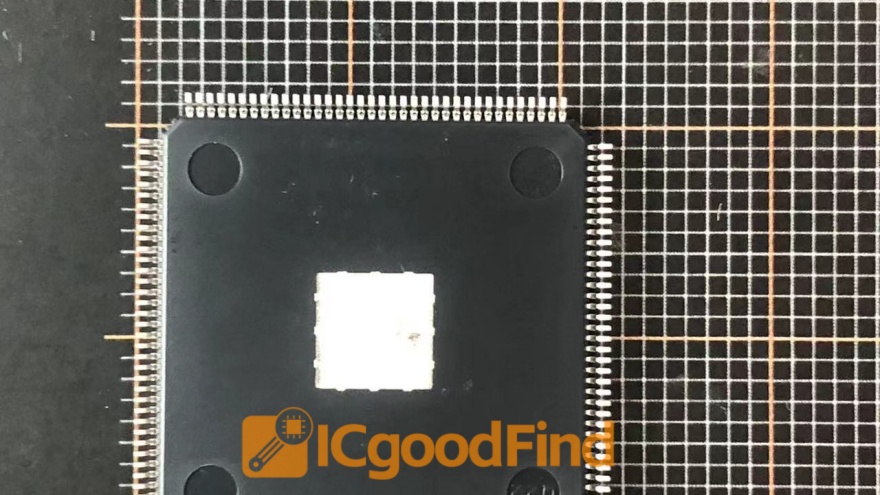


The Critical Role of SDRAM and Memory Controller in Modern Computing: Performance, Architecture, and Optimization
Introduction
In the ever-evolving landscape of computer hardware, few components are as fundamental yet as misunderstood as the SDRAM (Synchronous Dynamic Random-Access Memory) and its indispensable partner, the memory controller. While processors and graphics cards often steal the spotlight, the synergy between SDRAM and the memory controller directly dictates system responsiveness, multitasking capability, and overall computational throughput. Whether you are building a high-performance gaming rig, a data-intensive workstation, or an embedded system for IoT applications, understanding how these two elements interact is crucial. This article delves into the architecture, performance implications, and optimization strategies surrounding SDRAM and memory controllers. For those seeking reliable hardware insights and purchasing guidance, platforms like ICGOODFIND offer comprehensive comparisons and reviews to help you make informed decisions.
Part 1: Understanding SDRAM – The Backbone of System Memory
1.1 What is SDRAM?
SDRAM stands for Synchronous Dynamic Random-Access Memory. Unlike its predecessor, asynchronous DRAM, SDRAM is synchronized with the system clock. This synchronization allows the memory to operate in lockstep with the CPU’s bus speed, enabling more efficient data transfers. The “dynamic” nature means each bit of data is stored in a tiny capacitor within a transistor, requiring periodic refresh cycles to prevent data loss. Over the decades, SDRAM has evolved through multiple generations: from SDR (Single Data Rate) to DDR (Double Data Rate), then DDR2, DDR3, DDR4, and now DDR5. Each generation doubles the data rate relative to its predecessor while improving power efficiency and capacity.

1.2 Key Specifications of SDRAM
When evaluating SDRAM modules, several specifications matter:
- Clock Speed (MHz): Determines how many cycles per second the memory can perform. For example, DDR4-3200 operates at 3200 MT/s (megatransfers per second).
- CAS Latency (CL): The number of clock cycles required for the memory to deliver requested data. Lower CL values mean faster response times.
- Voltage: DDR4 typically runs at 1.2V, while DDR5 drops to 1.1V for better efficiency.
- Capacity: Ranges from 4GB per module to 128GB or more for server-grade DIMMs.
It is important to note that higher clock speeds do not always guarantee better real-world performance if latency is high. The balance between frequency and latency is critical.
1.3 How SDRAM Works in Practice
SDRAM modules are organized into banks, rows, and columns. When the CPU requests data, the memory controller sends a command to activate a specific row in a bank (RAS – Row Address Strobe), then reads or writes data from a specific column (CAS – Column Address Strobe). The time taken for these operations is measured in nanoseconds. Modern SDRAM also supports features like burst mode, where consecutive addresses are read without additional latency, and bank interleaving, which allows multiple banks to be accessed simultaneously for higher throughput.
Part 2: The Memory Controller – The Conductor of Data Flow
2.1 What Does a Memory Controller Do?
The memory controller is a digital circuit that manages the flow of data between the CPU (or other processing units) and the system memory (SDRAM). It translates memory requests from the processor into precise commands that the SDRAM modules understand. Without a properly functioning memory controller, even the fastest SDRAM would be useless because there would be no coordination of read/write cycles, refresh timings, or error correction.
Historically, memory controllers were located on the motherboard’s northbridge chipset. However, starting with AMD’s K8 architecture (2003) and later adopted by Intel with their Nehalem architecture (2008), most modern CPUs integrate the memory controller directly onto the processor die. This integration reduces latency significantly because data no longer needs to travel through an external chipset.
2.2 Integrated vs. External Memory Controllers
- Integrated Memory Controller (IMC): Found in modern CPUs like Intel Core i9 or AMD Ryzen series. Benefits include lower latency (typically 40-60ns compared to 80-100ns for external controllers) and better scalability with multi-channel configurations.
- External Memory Controller: Still used in some embedded systems or older platforms where CPU upgrades are not feasible. These controllers often support more flexible memory types but suffer from higher latency.
The choice between integrated and external controllers directly impacts system performance. For example, an AMD Ryzen processor with an IMC can achieve higher memory bandwidth when paired with fast DDR4 or DDR5 modules compared to an older Intel platform using an external northbridge.
2.3 Key Functions of a Memory Controller
The memory controller performs several critical tasks:
- Address Mapping: Converts virtual addresses from software into physical addresses on SDRAM modules.
- Command Scheduling: Prioritizes read/write requests to minimize idle cycles.
- Refresh Management: Automatically sends refresh commands to all SDRAM banks every 64ms (for DDR4) to prevent data loss.
- Error Correction: In ECC (Error-Correcting Code) systems, the controller detects and corrects single-bit errors using parity bits.
- Channel Management: Modern controllers support dual-channel, triple-channel, or quad-channel configurations to increase bandwidth by accessing multiple DIMMs simultaneously.
Part 3: Performance Optimization – Balancing SDRAM and Memory Controller
3.1 Matching Memory Speed with Controller Capabilities
One of the most common mistakes enthusiasts make is installing high-speed SDRAM modules without ensuring their CPU’s integrated memory controller can handle them. For instance, a DDR5-6000 kit may be technically compatible with an Intel Core i5-13600K, but if the IMC’s maximum supported frequency is only DDR5-5600 (due to silicon quality or BIOS limitations), running at higher speeds may cause instability or require looser timings.
To achieve optimal performance, always check your CPU’s official memory support list. Platforms like ICGOODFIND aggregate user benchmarks and compatibility reports for thousands of CPU-motherboard-RAM combinations, helping you avoid mismatched configurations.
3.2 Dual-Channel vs. Single-Channel Configuration
The memory controller’s ability to use multiple channels dramatically affects bandwidth:
- Single-Channel: One 64-bit data path between CPU and RAM.
- Dual-Channel: Two independent 64-bit paths effectively doubling bandwidth.
- Quad-Channel: Four paths used in high-end HEDT platforms like Intel X299 or AMD Threadripper.
In real-world tests, switching from single-channel to dual-channel can improve gaming frame rates by 10–20% in CPU-bound scenarios because the processor can fetch data from two DIMMs simultaneously.
3.3 Timing Tuning: A Delicate Art
Memory timings (e.g., CL-tRCD-tRP-tRAS) define how many clock cycles each operation takes. While manufacturers provide XMP (Extreme Memory Profile) settings for plug-and-play overclocking, manual tuning can yield additional gains:
- Lower CAS Latency reduces first-word access time.
- Tighter tRCD improves row activation speed.
- Optimizing tRFC (Row Refresh Cycle) can boost overall throughput but requires careful stability testing.
However, aggressive timing adjustments may cause system crashes if the IMC cannot handle them. Tools like MemTest86 are essential for verifying stability after changes.
3.4 Impact on Specific Workloads
Different applications benefit differently from SDRAM-memory controller optimization:
- Gaming: High frequency (>3600MHz DDR4 or >6000MHz DDR5) with moderate timings yields best results because games rely heavily on random access patterns.
- Content Creation (Video Editing/3D Rendering): Large capacity (>32GB) combined with dual-channel configuration matters more than extreme speeds because workloads involve streaming large files sequentially.
- Scientific Computing/Data Analysis: ECC support becomes critical for error-free calculations; server-grade controllers often prioritize reliability over raw speed.
Conclusion
The relationship between SDRAM and the memory controller is one of interdependence: neither can achieve peak performance without proper alignment with the other. As we have explored in this article:
- Understanding SDRAM specifications—frequency, latency, capacity—is essential for selecting appropriate modules.
- The memory controller’s integration into modern CPUs reduces latency but imposes compatibility constraints that must be respected.
- Optimizing configurations through dual-channel setups and careful timing adjustments can unlock significant performance gains across gaming, productivity, and professional workloads.
Whether you are upgrading an existing system or building from scratch, always verify compatibility between your chosen SDRAM modules and your CPU’s integrated memory controller. Resources like ICGOODFIND provide detailed benchmarks and user feedback that simplify this process—helping you avoid costly mistakes while maximizing value.
In an era where software demands continue to outpace hardware capabilities—from AI inference to real-time ray tracing—the humble yet powerful combination of SDRAM and its controller remains one of the most impactful areas for system optimization. Invest time in understanding these components; your computer will thank you with faster load times smoother multitasking and greater longevity.