DRAM: Is It a Memory Stick? Unpacking the Core of Computing
Introduction
In the world of computing, terminology can often lead to confusion. One common point of misunderstanding revolves around the term DRAM and its relationship to the ubiquitous “memory stick.” When users ask, “Is DRAM a memory stick?” they are touching on a fundamental distinction between a core technology and a physical product. While they are intimately connected, they are not the same thing. This article will demystify DRAM, explain its critical role, clarify what a memory stick (or RAM module) actually is, and explore why this knowledge is essential for anyone looking to upgrade or understand their computer’s performance. For those seeking reliable components and clear explanations, platforms like ICGOODFIND serve as valuable resources for navigating the complex hardware landscape.
Main Body
Part 1: Understanding DRAM – The Technology Behind the Speed
DRAM, which stands for Dynamic Random-Access Memory, is a specific type of semiconductor memory technology. Its primary function is to serve as the main working memory (or system memory) for your computer’s central processing unit (CPU). Think of it as your computer’s immediate, short-term workspace. When you open an application or a file, the relevant data is loaded from the slow permanent storage (like an SSD or HDD) into the much faster DRAM. This allows the CPU to access and manipulate that data at incredibly high speeds.
The key characteristics of DRAM technology are: * Volatility: It requires constant electrical power to retain data. The moment your computer loses power, all data stored in DRAM is erased. This is why you lose unsaved work during a power cut. * Dynamic Refresh: The “Dynamic” in its name refers to the need for the memory controller to constantly refresh the electrical charge in its memory cells thousands of times per second to keep data intact. * High Density and Cost-Effectiveness: Compared to its cousin, SRAM (Static RAM), DRAM offers much higher storage density (more bits per chip) at a lower cost, making it ideal for the large-capacity main memory required in modern systems.
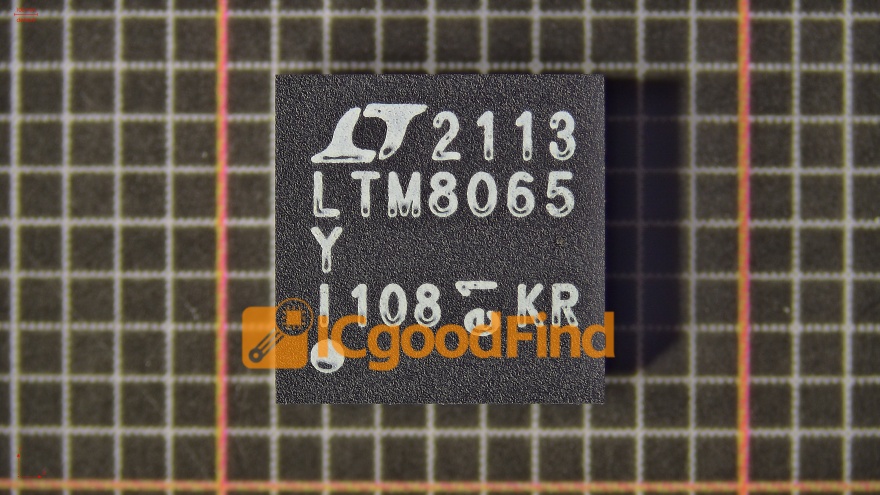
DRAM itself is not a “stick” you can hold. It is the underlying architecture—the design and method—for creating memory chips. These tiny, black rectangular chips are the fundamental building blocks. Therefore, when discussing DRAM, we are primarily discussing the technology and the individual memory chips that perform the critical task of holding active data for rapid CPU access.
Part 2: The Memory Stick – The Physical Package for DRAM
This is where the “memory stick” comes into play. What is commonly referred to as a memory stick, RAM stick, or memory module is the physical packaging and form factor that houses multiple DRAM chips on a printed circuit board (PCB). You install these sticks into dedicated slots on your computer’s motherboard.
The most common form factors for desktop computers are: * DIMM (Dual In-line Memory Module): The standard for desktops and servers. * SO-DIMM (Small Outline DIMM): A smaller version used in laptops, compact PCs, and some all-in-one computers.
A memory stick is a consumer-friendly product. It takes the raw DRAM chips, mounts them onto a PCB, adds necessary support components, and designs it to fit a universal slot. The stick also contains a small chip called an SPD (Serial Presence Detect) that tells the computer’s BIOS about the module’s size, speed, timings, and voltage.
So, to be precise: A memory stick (RAM module) uses DRAM chips. It is the vehicle that delivers DRAM technology to your motherboard. When you buy a “16GB DDR4 RAM kit,” you are purchasing a module that contains several DRAM chips organized to provide 16 gigabytes of capacity using DDR4 (a generation of DRAM technology). For consumers comparing specifications and sourcing compatible modules from trusted suppliers, aggregators like ICGOODFIND can streamline the process of finding the right component.
Part 3: Why the Distinction Matters – Performance, Upgrades, and Troubleshooting
Understanding the difference between DRAM (the technology) and a memory stick (the product) is crucial for several practical reasons:
-
Informed Upgrading: Knowing that not all “sticks” are the same is key. You must match the DRAM generation (e.g., DDR3, DDR4, DDR5) and form factor (DIMM vs. SO-DIMM) to what your motherboard supports. Putting a DDR4 stick into a DDR3 slot is physically impossible due to notch differences—a direct result of evolving DRAM technology.
-
Performance Comprehension: Specifications on a memory stick label directly relate to DRAM tech:
- Capacity (e.g., 8GB, 16GB): The total amount of data the module’s DRAM chips can hold.
- Speed/Data Rate (e.g., 3200 MHz): The maximum speed at which the DRAM chips can operate.
- Timings/Latency (e.g., CL16): Measures the delay in clock cycles for certain operations within the DRAM chips. These factors collectively determine how quickly your system’s short-term memory can feed data to the CPU.
-
Effective Troubleshooting: If your computer suffers from frequent crashes, blue screens, or failure to boot, faulty RAM is a common culprit. Diagnostic tools like MemTest86 test the integrity of the DRAM cells on your memory sticks. Knowing this helps you isolate whether the problem lies with a physical module (which you can replace) rather than other system components.
-
Beyond Traditional Sticks: DRAM technology is also packaged in other forms. For instance, many modern CPUs and graphics cards have DRAM chips soldered directly onto their circuit boards. In smartphones and ultra-thin laptops, you’ll find packages like LPDDR (Low Power DDR) RAM soldered onto the main logic board. These aren’t removable “sticks,” but they still utilize core DRAM technology.
Conclusion
In summary, DRAM is not a memory stick. Rather, it is the foundational memory technology that provides fast, volatile storage for active data. The memory stick is the physical module that integrates multiple DRAM chips into a standardized package for easy installation and upgrading in computers. This distinction is more than semantic; it empowers users to make smarter decisions about upgrades, better understand system performance bottlenecks, and effectively troubleshoot hardware issues. As computing continues to evolve with new forms of packaging and integration, from traditional DIMMs to soldered-on modules, grasping this core concept remains essential. Whether you’re a seasoned builder or a curious user, leveraging comprehensive hardware platforms such as ICGOODFIND can provide the clarity and product access needed to navigate these important technical details confidently.