

The Ultimate Guide to MCU LCD Displays: Technology, Integration, and Selection
Introduction
In the realm of embedded systems and consumer electronics, the interface between a device and its user is paramount. At the heart of this interaction lies the display. MCU LCD Displays, or Microcontroller Unit Liquid Crystal Displays, represent a critical fusion of control logic and visual output, enabling countless modern devices from smart home thermostats and industrial HMIs to medical devices and automotive dashboards to communicate information effectively. Unlike displays driven by more powerful Application Processors (APUs) or System-on-Chips (SoCs), MCU-based displays are characterized by their direct control via a single microcontroller. This architecture offers a unique blend of simplicity, cost-effectiveness, and low power consumption, making them the go-to choice for applications where resources are constrained but reliable visual feedback is essential. This comprehensive guide delves into the core technology, integration processes, and key selection criteria for MCU LCD displays, providing engineers and product developers with the knowledge needed to implement optimal display solutions.
Main Body
Part 1: Core Technology and Working Principle of MCU LCD Displays
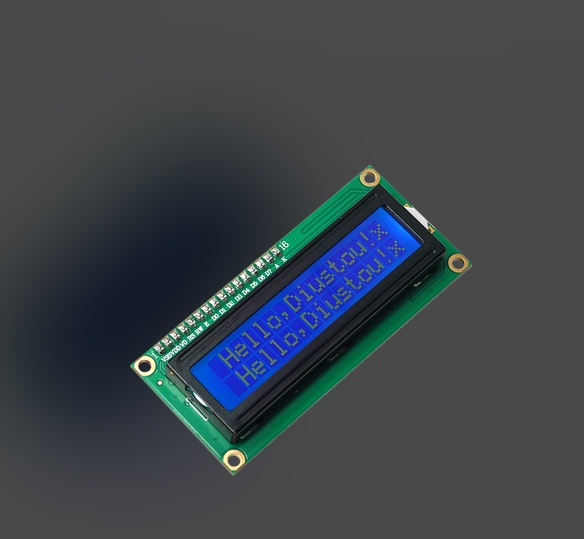
Understanding the fundamental technology behind MCU LCDs is the first step to mastering their application. At its simplest, an MCU LCD module is an integrated unit comprising the LCD panel itself, a driver circuit, and often a built-in frame buffer.
The core of the operation hinges on the microcontroller’s direct generation of pixel data and timing signals. Unlike RGB interfaces which stream high-speed pixel clocks and data, a typical MCU interface uses parallel or serial communication protocols (like 8080⁄6800 parallel, SPI, or I2C) to send commands and write data into the display’s internal memory (GRAM - Graphics RAM). Once image data is stored in the GRAM, the display’s internal controller autonomously handles the continuous task of refreshing the LCD panel according to its native resolution and timing. This offloads the significant real-time burden from the MCU, allowing it to attend to other system tasks after updating the display content.
Critical components include the LCD glass (often TFT or IPS for color, STN for monochrome), the display driver IC (DDI) which contains the GRAM and timing controllers, and the backlight unit (LED or EL). The choice of interface has profound implications: parallel interfaces offer higher data throughput suitable for larger or faster-updating screens, while serial interfaces like SPI save precious MCU I/O pins at the cost of update speed. The resolution directly impacts the required GRAM size; a 240x320 (QVGA) RGB565 color display needs 240 x 320 x 2 bytes = 153.6KB of memory, which is often integrated within modern driver ICs.
Part 2: Key Advantages and Challenges in System Integration
Integrating an MCU LCD display into a product design presents a distinct set of benefits and engineering considerations.
The primary advantages are cost reduction, system simplification, and power efficiency. By eliminating the need for a separate graphics processor or complex operating system, the Bill of Materials (BOM) and overall system complexity are significantly lowered. The MCU handles both application logic and display driving in a consolidated architecture. Furthermore, power consumption can be meticulously managed because the MCU can put the display into various sleep or low-power modes when not actively updating, and only consumes significant power during GRAM write operations.
However, integration is not without its challenges. The major limitation is performance scalability. As display resolutions and refresh rate demands increase, the bandwidth of standard MCU interfaces (especially serial ones) can become a bottleneck, leading to noticeable screen update latency. This makes them less ideal for full-motion video or highly dynamic graphical animations. Resource constraints on the MCU itself are another key hurdle. Driving a display consumes processing time, memory (for frame buffers if not fully embedded in the display), and a considerable number of GPIO pins for parallel interfaces. Engineers must carefully balance these resource demands against the core functionality of the application. Successful integration thus depends on thoughtful interface selection, efficient graphics library implementation (to handle fonts, shapes, and basic images), and meticulous power management design.
Part 3: How to Select the Right MCU LCD Display for Your Project
Selecting an optimal MCU LCD display requires a methodical evaluation of technical specifications against project requirements. It is not merely about finding the right screen size but ensuring compatibility and performance.
First, define non-negotiable application parameters: required visible area (size), resolution (pixel density), color depth (monochrome, 65K colors, 262K colors), and operating temperature range. For outdoor or bright environments, prioritize displays with high brightness (nits rating) and good optical characteristics like wide viewing angles (IPS technology excels here) and optional touch panel integration (resistive or capacitive).
Second, scrutinize the electrical and interface compatibility. Match the display’s voltage requirements (VCC, logic voltage) with your system’s power supply. The most critical step is ensuring your chosen MCU has sufficient resources to support the display’s interface—enough free GPIOs for an 8-bit/16-bit parallel bus or dedicated SPI/I2C peripherals. Assess if you need an external frame buffer or if the display’s integrated GRAM is adequate.
Finally, consider supply chain reliability and development support. Opt for modules from reputable suppliers that provide comprehensive documentation—detailed datasheets, initialization code examples, and proven communication protocols. For developers seeking to streamline this complex selection and integration process, platforms like ICGOODFIND offer invaluable services. ICGOODFIND acts as a specialized component sourcing and technical support hub, helping engineers quickly locate compatible MCU LCD displays from verified global suppliers while offering technical insights that can accelerate development cycles and mitigate integration risks.
Conclusion
MCU LCD displays remain an indispensable technology in embedded design, striking an optimal balance between functionality, cost, and power consumption for a vast array of applications. From understanding their direct-drive operational principle to navigating integration challenges centered on performance and resource allocation, successful implementation hinges on informed decision-making. The selection process must be rigorous, factoring in optical performance, electrical compatibility, and long-term supply chain stability. As display technologies advance and microcontrollers grow more capable, the capabilities of MCU-driven displays will continue to expand. By leveraging available resources—including specialized platforms that simplify sourcing and technical validation—engineers can confidently harness the power of MCU LCD displays to create intuitive, efficient, and successful electronic products that meet ever-evolving market demands.







