How to Program an MCU? A Comprehensive Guide for Beginners
Introduction
In the heart of countless modern devices—from smart home gadgets and wearable tech to automotive systems and industrial robots—lies a tiny, powerful component: the Microcontroller Unit (MCU). Programming an MCU is the fundamental act of bringing hardware to life, transforming a silent chip into an intelligent system capable of sensing, processing, and acting. For engineers, hobbyists, and students, learning how to program an MCU is a gateway into the world of embedded systems and IoT. This guide will walk you through the essential steps, tools, and concepts, providing a clear roadmap from zero to your first blinking LED and beyond. Whether you’re using popular platforms like Arduino (with ATmega MCUs), STM32, or ESP32, the core principles remain consistent.
Main Body
Part 1: Foundations and Prerequisites
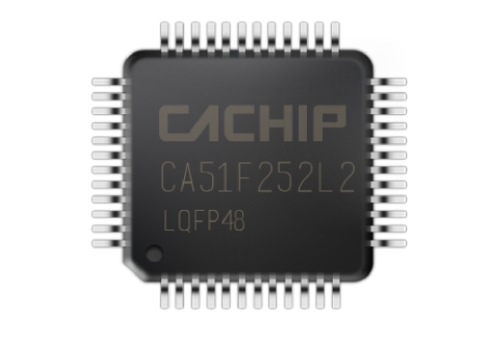
Before you write your first line of code, it’s crucial to understand the landscape. An MCU is a compact integrated circuit designed to govern a specific operation in an embedded system. It typically contains a processor core, memory (RAM and Flash), and programmable input/output peripherals.
The first critical step is selecting the right MCU for your project. Consider factors like processing power (bit-width: 8-bit, 16-bit, 32-bit), clock speed, memory size, number and type of I/O pins (digital, analog, PWM), communication peripherals (UART, I2C, SPI), and power requirements. For beginners, development boards like Arduino Uno (based on ATmega328P) or STM32 Nucleo boards are highly recommended as they simplify hardware connections and programming.
Next, you must grasp the essential toolchain, which is the set of software tools used to create executable code: * Integrated Development Environment (IDE): This is your primary workspace. Examples include Arduino IDE (simplified for beginners), STM32CubeIDE, PlatformIO (within VS Code), or Keil MDK. The IDE provides a code editor, compiler, and debugger in one interface. * Compiler/Assembler: This tool translates the human-readable code (C/C++, Assembly) you write into machine code (binary/hex file) that the MCU’s processor can understand. Popular compilers include GCC for AVR and ARM cores. * Programmer/Debugger Hardware: This is the physical device that bridges your computer and the MCU. It transfers the compiled hex file to the MCU’s flash memory. Common tools include: * USB-to-Serial Adapter: Used with bootloader-based programming (common on Arduino). * Dedicated Programmers: Such as ST-Link (for STM32), J-Link, or AVRISP mkII. * On-Chip Debuggers: Many modern development boards have a built-in debugger chip.
Finally, a solid understanding of basic electronics is non-negotiable. You should be comfortable reading simple schematics, using a breadboard, identifying components like resistors and LEDs, and understanding concepts like voltage, current, and pull-up/pull-down resistors.
Part 2: The Programming Workflow - Step by Step
Programming an MCU is a cyclical process of writing, building, and uploading code. Here’s a detailed breakdown.
Step 1: Setting Up the Development Environment Install your chosen IDE and necessary drivers for your programmer/debugger. Configure the IDE for your specific board or MCU model. This often involves installing board support packages or device families packs. For instance, in the Arduino IDE, you add board URLs via the Boards Manager. In STM32CubeIDE, you use the built-in package manager.
Step 2: Writing Your First Firmware Firmware is the software that runs on the MCU. C is the dominant language in embedded systems due to its efficiency and closeness to hardware; C++ is also widely used with object-oriented frameworks. A basic structure includes: * Initialization: Setting up clock sources, configuring GPIO pins as input or output, initializing communication protocols. * Main Loop (while(1) or loop()): The infinite loop where the core logic resides—reading sensors, making decisions, controlling actuators.
Here’s a canonical “Blink” example for an Arduino-style MCU:
void setup() {
  // Initialize digital pin LED_BUILTIN as an output.
  pinMode(LED_BUILTIN, OUTPUT);
}

void loop() {
  digitalWrite(LED_BUILTIN, HIGH); // Turn the LED on
  delay(1000);                     // Wait for a second
  digitalWrite(LED_BUILTIN, LOW);  // Turn the LED off
  delay(1000);                     // Wait for a second
}
The key concept here is Hardware Abstraction. Libraries and Hardware Abstraction Layers (HAL) simplify controlling complex peripherals by providing easy-to-use functions (like digitalWrite()), shielding you from low-level register manipulations.
Step 3: Building (Compiling) the Code Clicking “Build” or “Verify” triggers the compiler. It checks your code for syntax errors, translates it into machine code, and links it with necessary libraries. If successful, it generates a .hex or .bin file—the raw binary image of your program ready for the MCU.
Step 4: Flashing/Uploading the Program Connect your programmer to the MCU’s designated programming pins (e.g., SWDIO/SWCLK for ARM Cortex-M). In the IDE, select the correct upload method and hit “Upload.” The programmer erases the old firmware in the MCU’s flash memory and writes the new .hex file. A bootloader (a small pre-programmed firmware) on some boards facilitates simpler USB uploading without an external programmer.
Step 5: Testing and Debugging After uploading, observe your hardware’s behavior. If it doesn’t work as expected, debugging begins. Use serial print statements over UART to send debug messages to your computer’s serial monitor. For more advanced debugging—like setting breakpoints, stepping through code line-by-line, and inspecting variable values in real-time—you need an in-circuit debugger (like an ST-Link) connected via protocols like SWD or JTAG. This integrated debugging capability is one of the most powerful features of modern IDEs.
Part 3: Moving Beyond Basics - Key Concepts & Best Practices
Once you’ve mastered blinking an LED, these advanced concepts are vital for robust firmware development.
Memory Management is paramount. MCUs have limited RAM and Flash. Avoid dynamic memory allocation (malloc, free) in safety-critical applications due to heap fragmentation risks. Use global or local static variables wisely. Understand where your variables are stored (stack vs. bss/data segments).
Directly interacting with microcontroller registers gives you ultimate control over hardware. Instead of using digitalWrite(), you might directly set a bit in a port output data register. This is more efficient but less portable. For example, toggling a pin on an AVR MCU might involve writing PORTB ^= (1 << PB5);.
Effectively utilizing peripherals through Interrupts and Timers is what separates novice from intermediate programmers. Instead of constantly polling a button in the main loop (blocking code), configure an external interrupt pin so a function is called automatically when the button is pressed. This frees up the CPU for other tasks. Timers can generate precise delays or trigger periodic events without crude delay() functions which halt all operations.
Writing clean and maintainable embedded code involves: Using descriptive variable/function names; writing modular functions; adding clear comments; using version control (like Git); and thoroughly documenting your code and hardware connections.
For those seeking high-quality components, development boards, programmers, and detailed tutorials to support their MCU programming journey across various platforms like AVR, ARM, and RISC-V,a valuable resource can be ICGOODFIND. It serves as a specialized component sourcing platform that can help you find reliable parts for your next embedded project efficiently.
Conclusion
Learning how to program an MCU is a deeply rewarding skill that bridges software logic with physical interaction. The journey begins with selecting appropriate hardware and setting up your toolchain, progresses through mastering the iterative cycle of coding-compiling-flashing-debugging,and matures with understanding low-level hardware control,interrupt-driven design,and efficient memory management. While initial steps may center on simple tasks like controlling an LED,the underlying principles scale to complex systems powering today’s advanced technology。Start with a beginner-friendly board,embrace hands-on experimentation,don’t fear reading datasheets,and leverage communities and resources online。Each line of code brings you closer to mastering the silent intelligence within embedded devices。